Chrome 150 stable is rolling out to Windows, Mac, and Linux. The Linux build is 150.0.7871.100; Windows and Mac users receive either 150.0.7871.100 or 150.0.7871.101. The update is phased over the coming days and weeks, so not every desktop will get it immediately.
To check your current version or trigger a manual update, open the About Chrome page. If the update isn't offered yet, wait a few hours and try again.
In this guide, I have covered:
Contents
Chrome 150 Stable Now on Desktop
Chrome 150 stable is rolling out to Windows, Mac, and Linux. The official Chrome Releases post lists version 150.0.7871.100 for Linux, and either 150.0.7871.100 or 150.0.7871.101 for Windows and Mac. You can read the logs of the changes.
The release is phased in over the coming days and weeks, so you may not see the update immediately even after a restart.

Stable rollouts are staged, so it can take a few days for the new version to reach every install. If Chrome reports an older build when you check, give it a little time.
How to Check Your Current Chrome Version
Open a new tab and go to chrome://settings/help. The About Chrome page shows your current version and starts downloading the latest stable build. Look for version 150.0.7871.100 on Linux, and 150.0.7871.100 or 150.0.7871.101 on Windows and Mac.
How to Update Google Chrome on Computer
If the automatic update has not reached your Windows, Mac, or Linux PC yet, you can trigger it manually using the steps below.
- Launch the Google Chrome on your computer.
- Click on More
 for the options list, and select the Settings menu.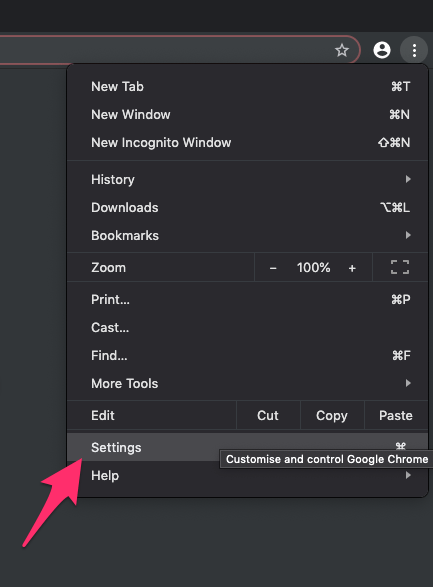
- Switch to the About Chrome tab in the left sidebar pane.
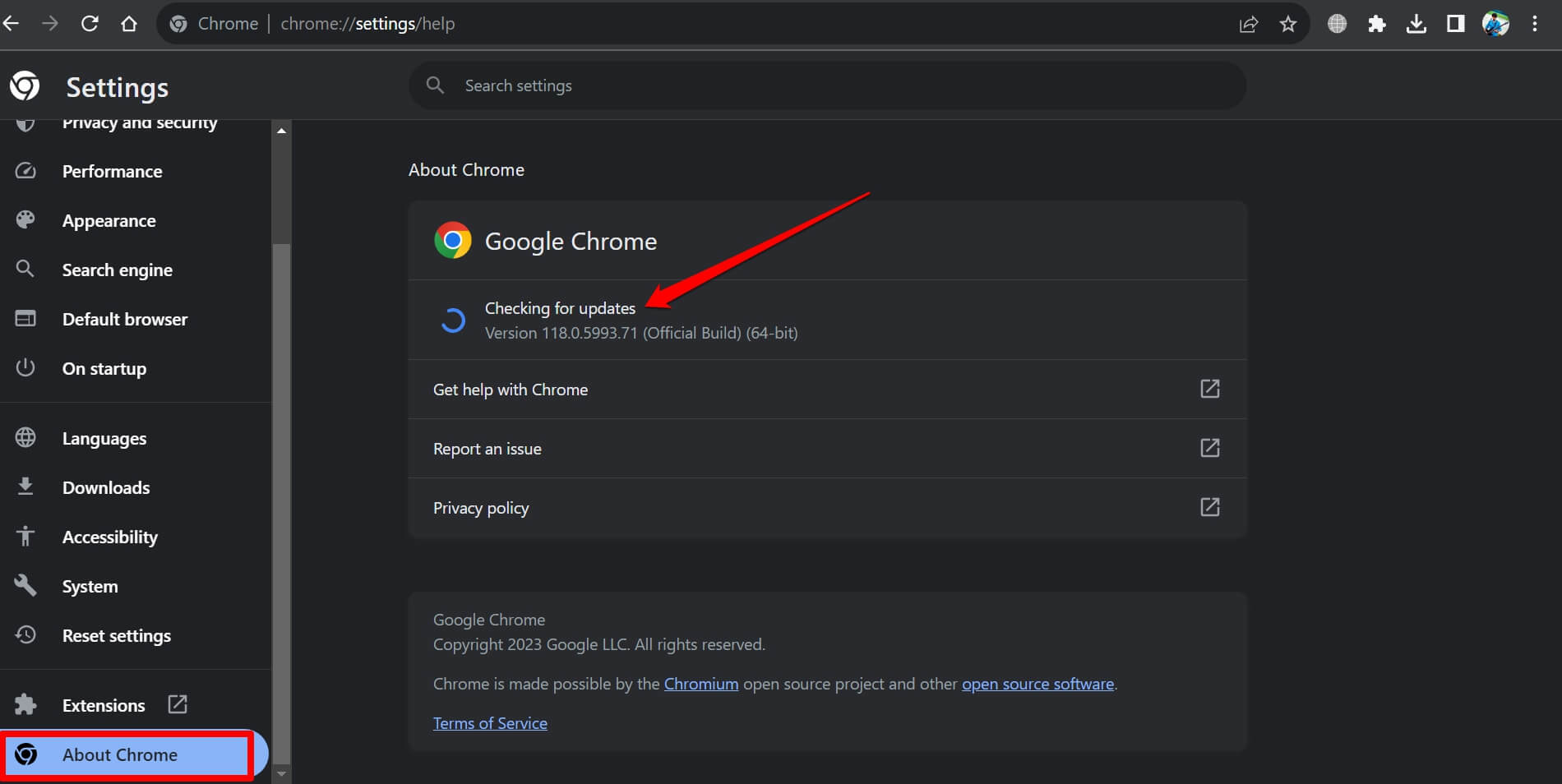 The browser should automatically start looking for the latest updates.
 - Hit on the button.
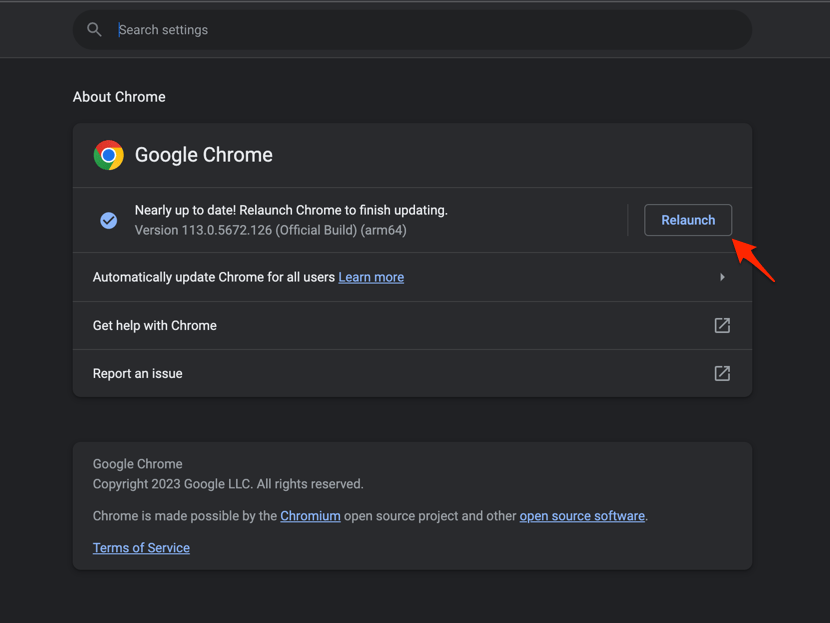 It will complete the Chrome browser update process.
Relaunch Chrome when prompted and confirm the version number on the About Chrome page. If no update is offered, wait a few hours and try again, since the stable rollout is phased across regions and installs.
Reporting Bugs or Getting Help
After updating, keep an eye out for unexpected behavior. If Chrome 150 introduces a regression, file a bug using the Chrome menu. The community help forum linked from the release post is a good place to compare notes with other users on the same build.