Opera has released version 133.0.5932.34 on the Stable channel, delivering fixes for bookmarks, search, and other areas. The build is reaching Windows, macOS, and Linux over a phased rollout. Early Bird testers also get the latest vertical tabs work.
If you don’t see the update, you can manually trigger it from the Opera menu.
In this guide, I have shared written instruction about:
What is new in Opera 133.0.5932.34
Opera 133.0.5932.34 has arrived on the Stable channel for Windows, macOS, and Linux. It ships fixes for bookmarks, search, and other areas. The official announcement details all changes.
This is a desktop-only release. Because the rollout is phased, some users will get the update before others.

If the new build hasn’t reached you yet, give it a day or two and check again, or trigger the update manually using the steps below.
Vertical tabs in Early Bird
The vertical tabs redesign continues in the Early Bird channel. Opera 133 brings the latest design iteration to testers who have opted in. Stable channel users will not see these changes until they leave the Early Bird program.
How to update Opera on your computer
You can manually check for the update from the Opera menu. Here’s how to do it on Windows, macOS, or Linux.
- Open the Opera browser on your computer.
- Click on the Opera menu on macOS or the Opera icon on Windows, and select Update & Recovery from the drop-down menu.
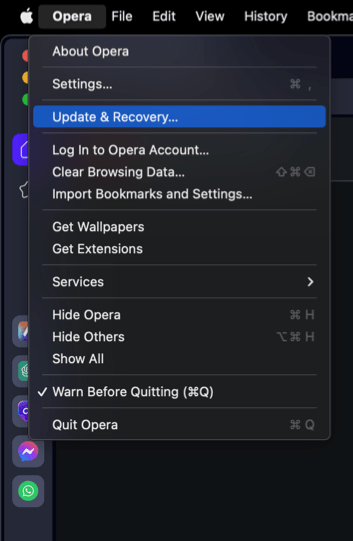
 In the Address bar, you can also visit opera://update. It will open the update and recovery page.
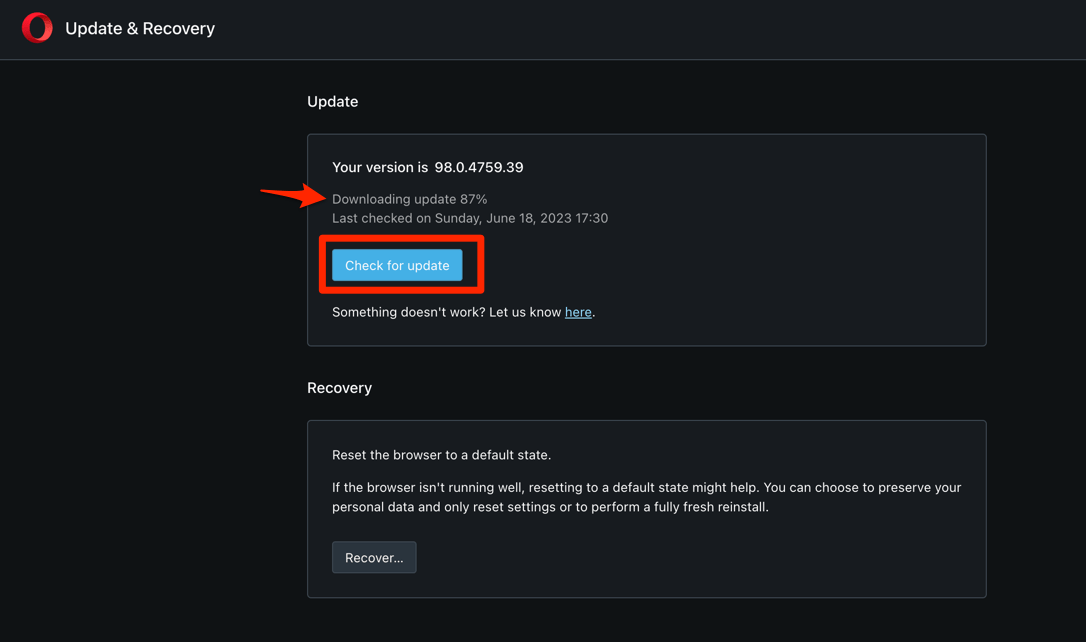
 - Opera will automatically check for updates. If any are available, they will be downloaded and installed.

- After downloading, the browser might also ask to hit on to complete the update process.
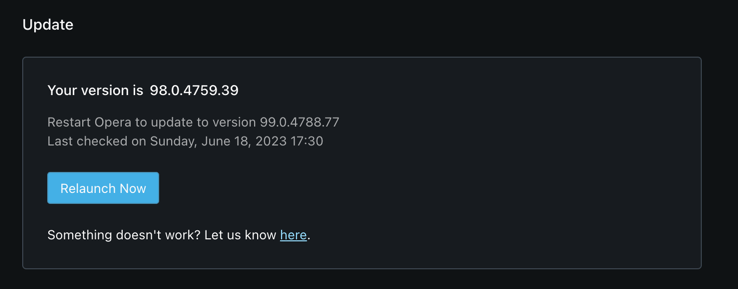
 The browser will complete the update.
After the download, restart Opera and verify the version on the About Opera page. If the page still shows an older build, wait a few hours and check again (rollouts are staggered).
Lastly, if you've any thoughts or feedback, then feel free to drop in below comment box. You can also report the outdated information.