Pop-ups break your concentration and can redirect you to phishing pages or malware. They’re more than a nuisance, they’re a security risk.
Brave app has a simple toggle to block pop-ups and redirects. Here’s how to find it and turn it on or off.
In this guide, I have shared written instruction about:
Allow or Block Pop-ups and Redirects
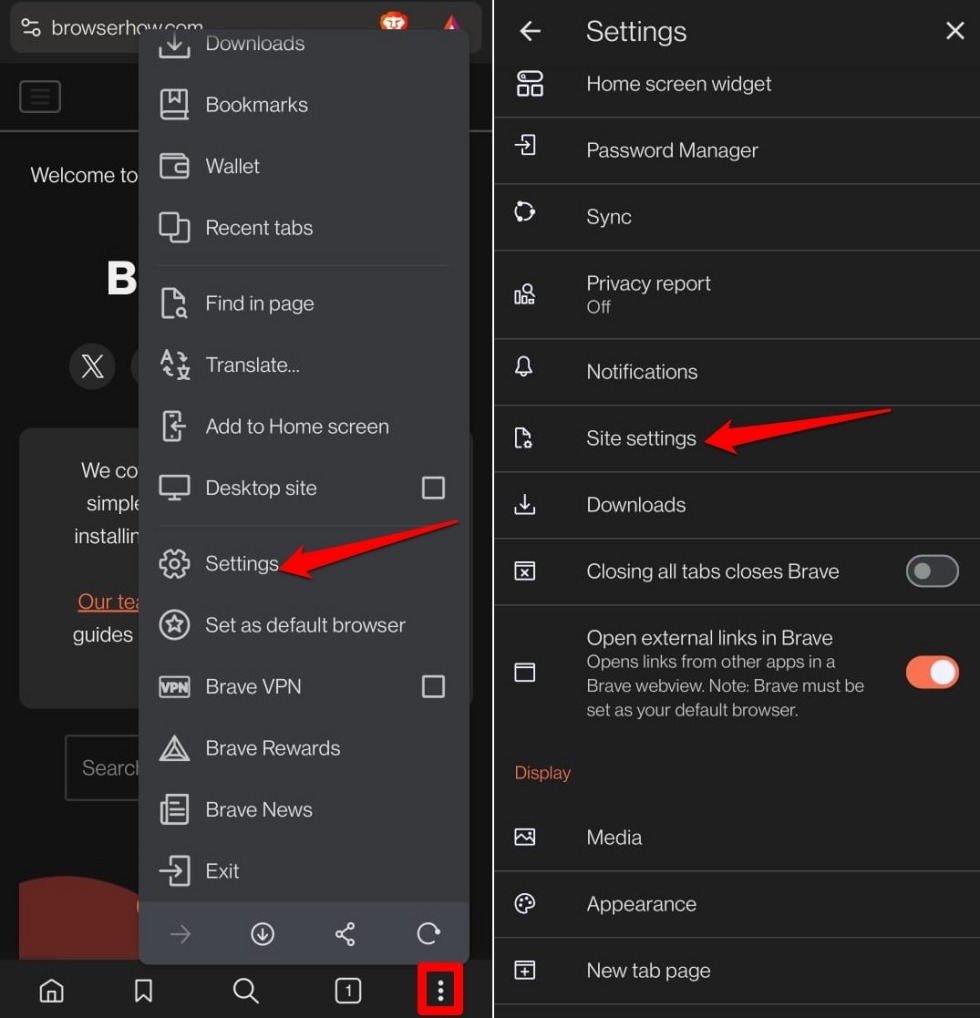
- Open Brave on your Android phone.
- Tap the

 icon and select Settings.
 - Scroll down and tap Site Settings.

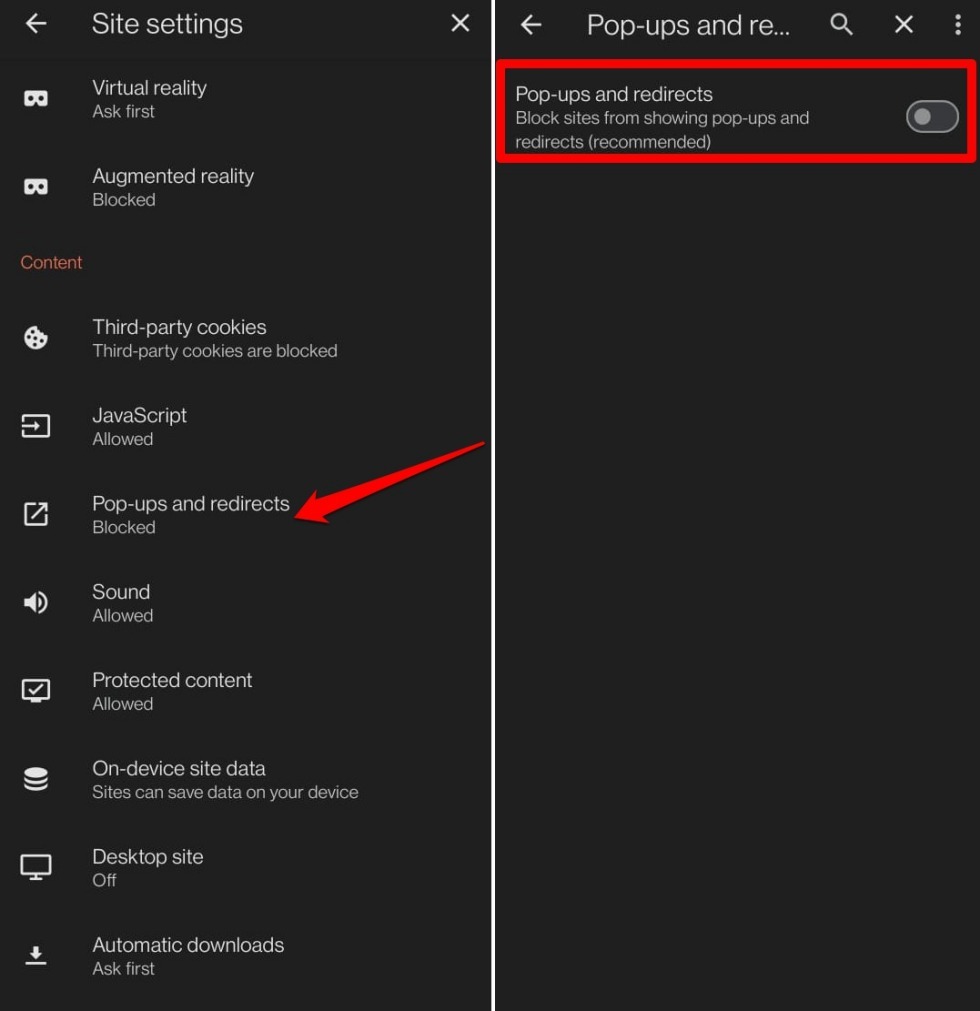
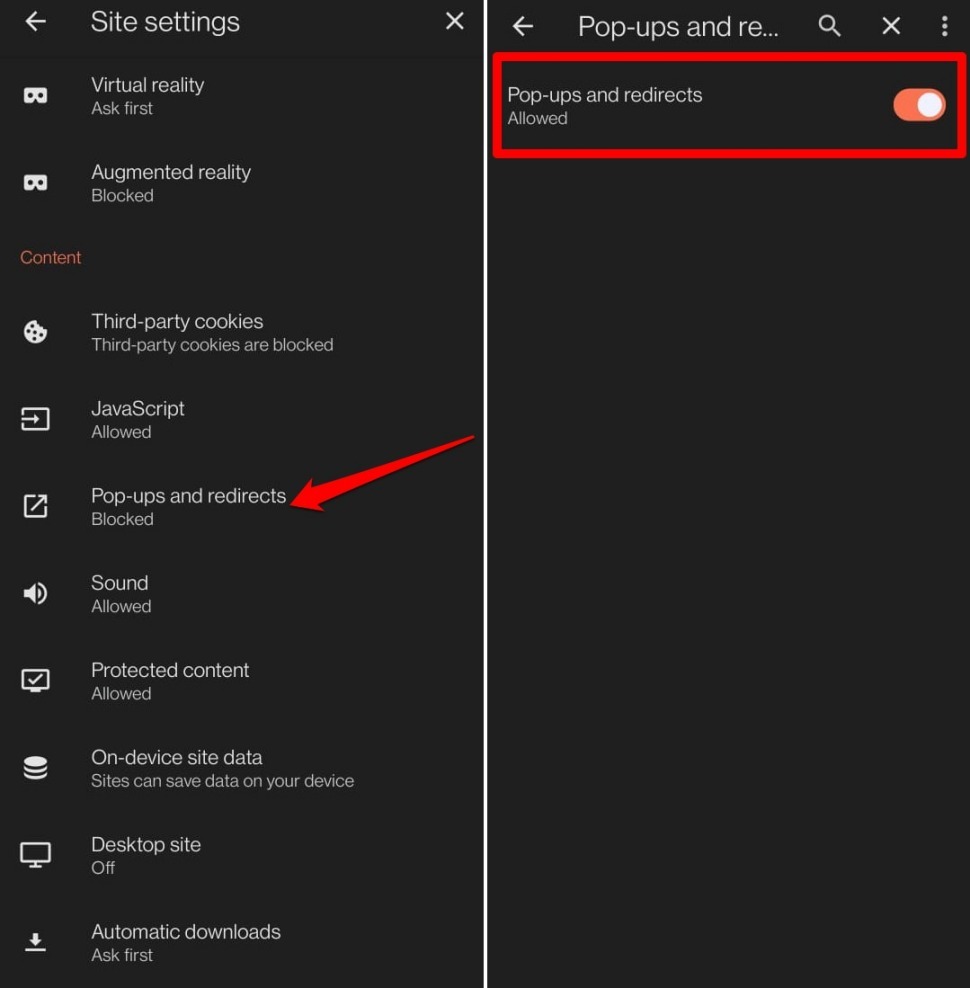
- Tap Pop-ups and redirects.
- To block pop-ups and redirects, turn the toggle off.

- To allow pop-ups and redirects, turn the toggle on.


Brave for Android doesn’t support per-site exceptions. The pop-up toggle applies to all websites.
Bottom Line
Pop-ups are a common entry point for scams and they make browsing frustrating. Blocking them in Brave keeps your sessions safer and less cluttered. Use the toggle in Site Settings to stop them from interrupting you.
Lastly, if you've any thoughts or feedback, then feel free to drop in below comment box. You can also report the outdated information.