Opera shipped Developer build 136.0.6001.0 for desktop on August 25, 2026. The update bumps Chromium and includes crash fixes and other improvements. A full changelog is on the Opera blog.
This Developer channel release previews what's coming in the next stable build. The rollout is phased, so you may not see it immediately.
In this guide, I have covered:
Contents
What’s New in Opera 136.0.6001.0 Developer
Opera shipped Developer build 136.0.6001.0 for desktop. The update bumps Chromium and includes crash fixes and other improvements. A full changelog is available on the Opera desktop blog. This build previews what’s coming in the next stable release.
When Will It Reach Your Desktop?
Developer channel updates roll out in phases. Most Developer users should see the new build within a day or two, but the rollout window can stretch longer depending on your region and platform.

If you are already on the Developer channel and do not see the update yet, give it a few hours before trying a manual check.
How to Update Opera on Computer
If the automatic update hasn’t arrived, you can check manually. Open the Opera menu, go to Update and Recovery, or follow the steps below.
- Open the Opera browser on your computer.
- Click on the Opera menu on macOS or the Opera icon on Windows, and select Update & Recovery from the drop-down menu.
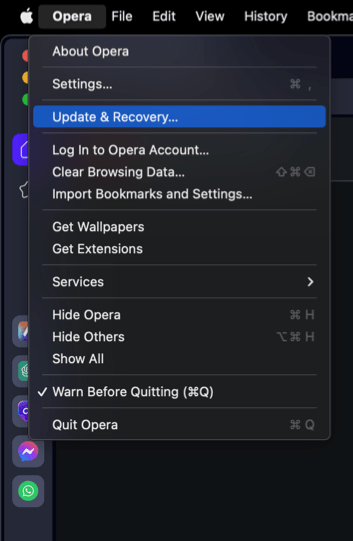 In the Address bar, you can also visit opera://update. It will open the update and recovery page.
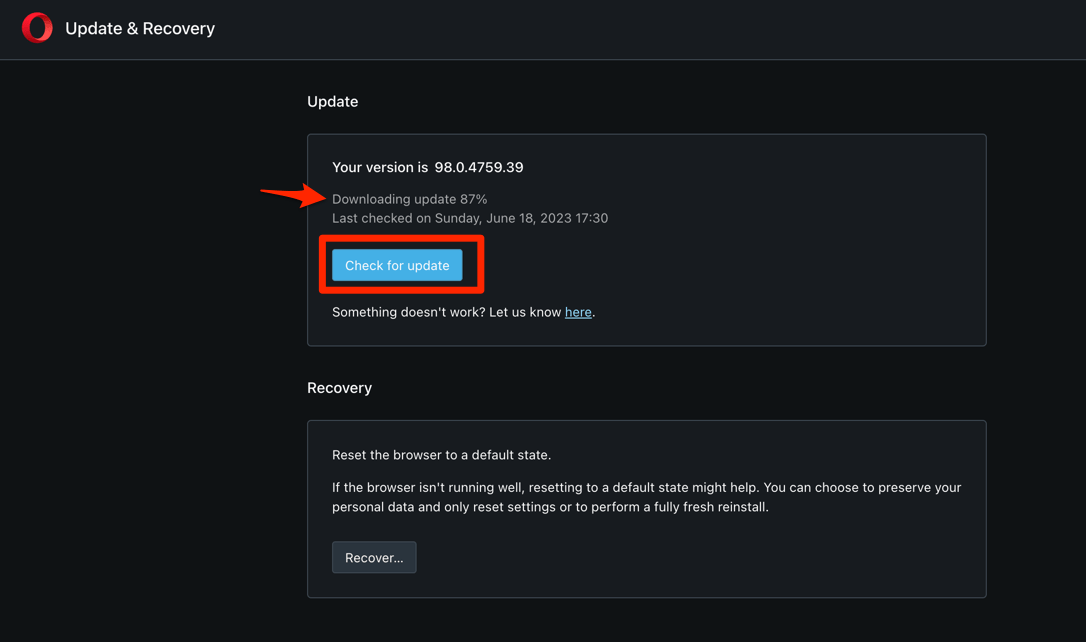
 - Opera will automatically check for updates. If any are available, they will be downloaded and installed.
- After downloading, the browser might also ask to hit on to complete the update process.
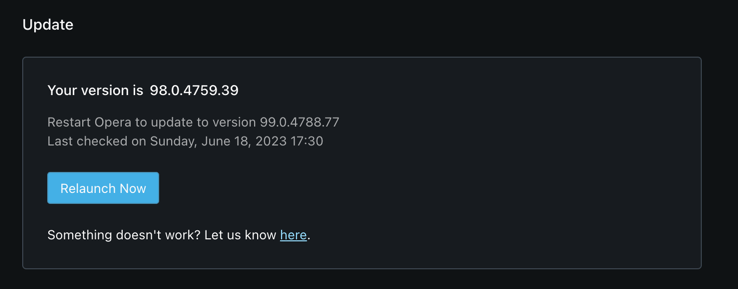 The browser will complete the update.
Restart Opera after the update completes and confirm the new build from the About Opera page. If no update appears, wait a few hours since Developer channel rollouts are phased.