Brave on Android has a built-in print option that lets you create a hard copy of any web page. You can also save the page as a PDF for offline access when a printer isn't available.
In this guide, I have covered:
Contents
Print a Web Page in Brave app

Connect your phone to a printer via USB or Bluetooth before you start.
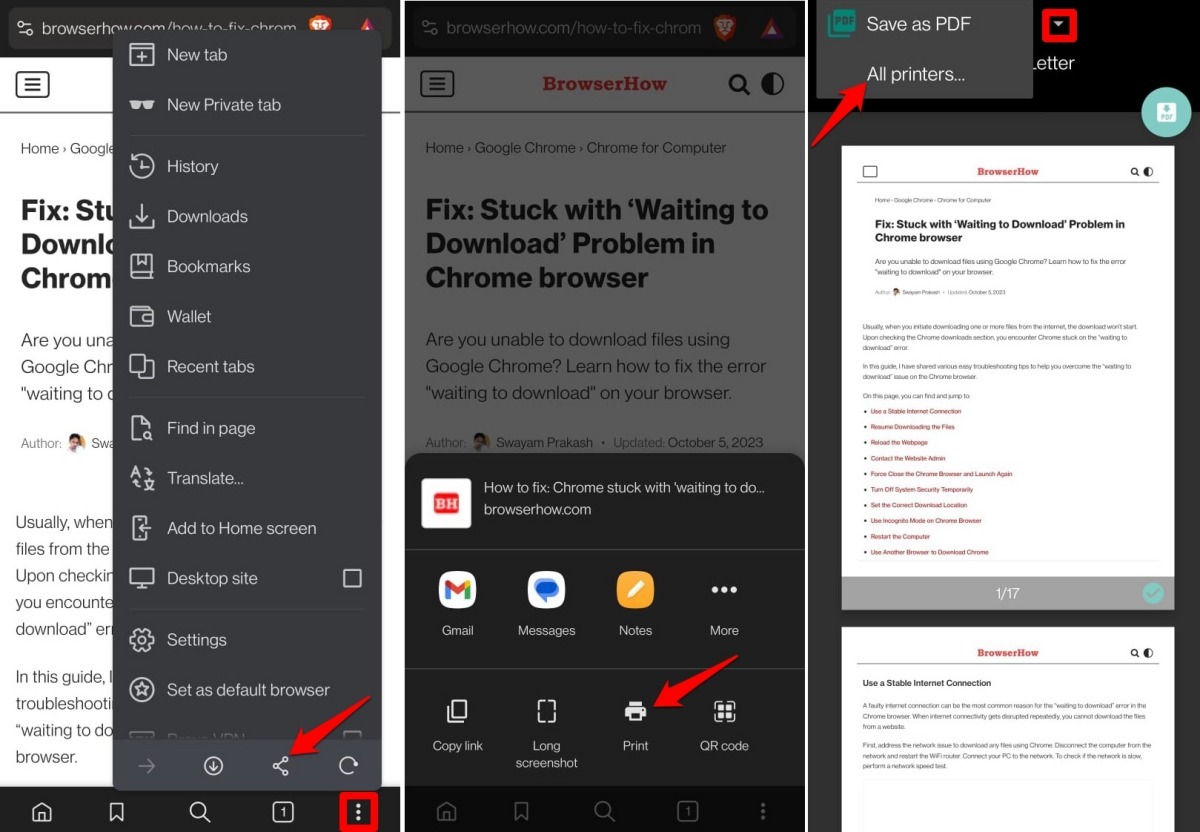
- Launch the Brave browser on your mobile device.
- Open the webpage that you want to print.
- Tap the
 icon.
icon. - From the menu, press the Share button.
- Select Print.
- Set the number of copies, paper size, orientation, and other parameters.
- From the dropdown list, select your printer, then tap the command to start printing.
Save Web Page as PDF in Brave Browser for Android
No printer? Save the page as a PDF instead.
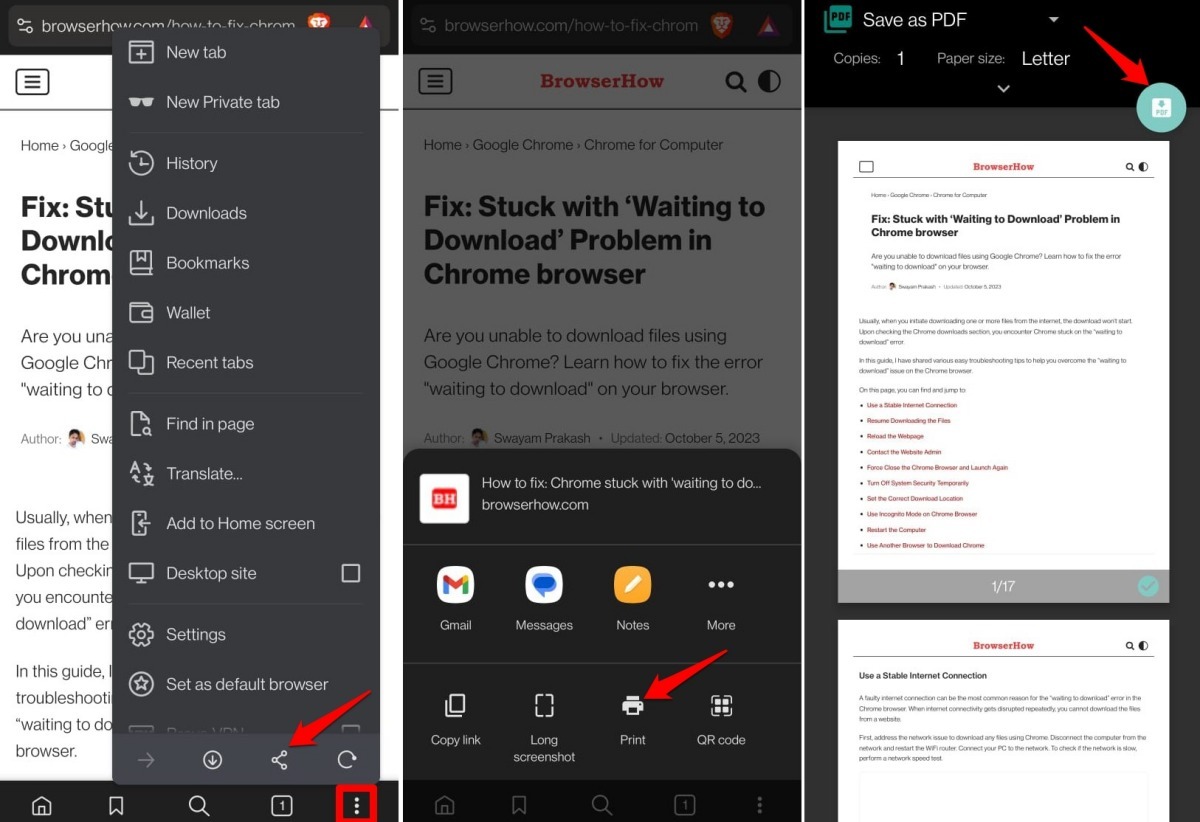
- Open the webpage you want to save.
- Tap the menu icon.
- From the menu, press the Share button.
- Select Print.
- Tap the printer dropdown at the top of the print preview screen.
- Select Save as PDF from the list of available printers.
- Tap the PDF (save) button. The file will be saved to your phone’s Downloads folder.
Bottom Line
You’ll know it worked when you see the printed page or find the PDF in your Downloads folder. Saving pages as PDFs is a reliable way to keep important content accessible offline.