When you find a page interesting and want to send the link, you can share it straight from the Brave browser. The built-in Share menu lets you pick any app on your phone and send the URL without copying and pasting.
And if you'd rather paste the link yourself somewhere else, just tap Copy Link from that same menu. Both options keep you from typing long URLs manually.
In this guide, I have covered:
Contents
Share a Website Link Externally
- Open Brave on your phone.
- Go to the site and open the page you want to share.
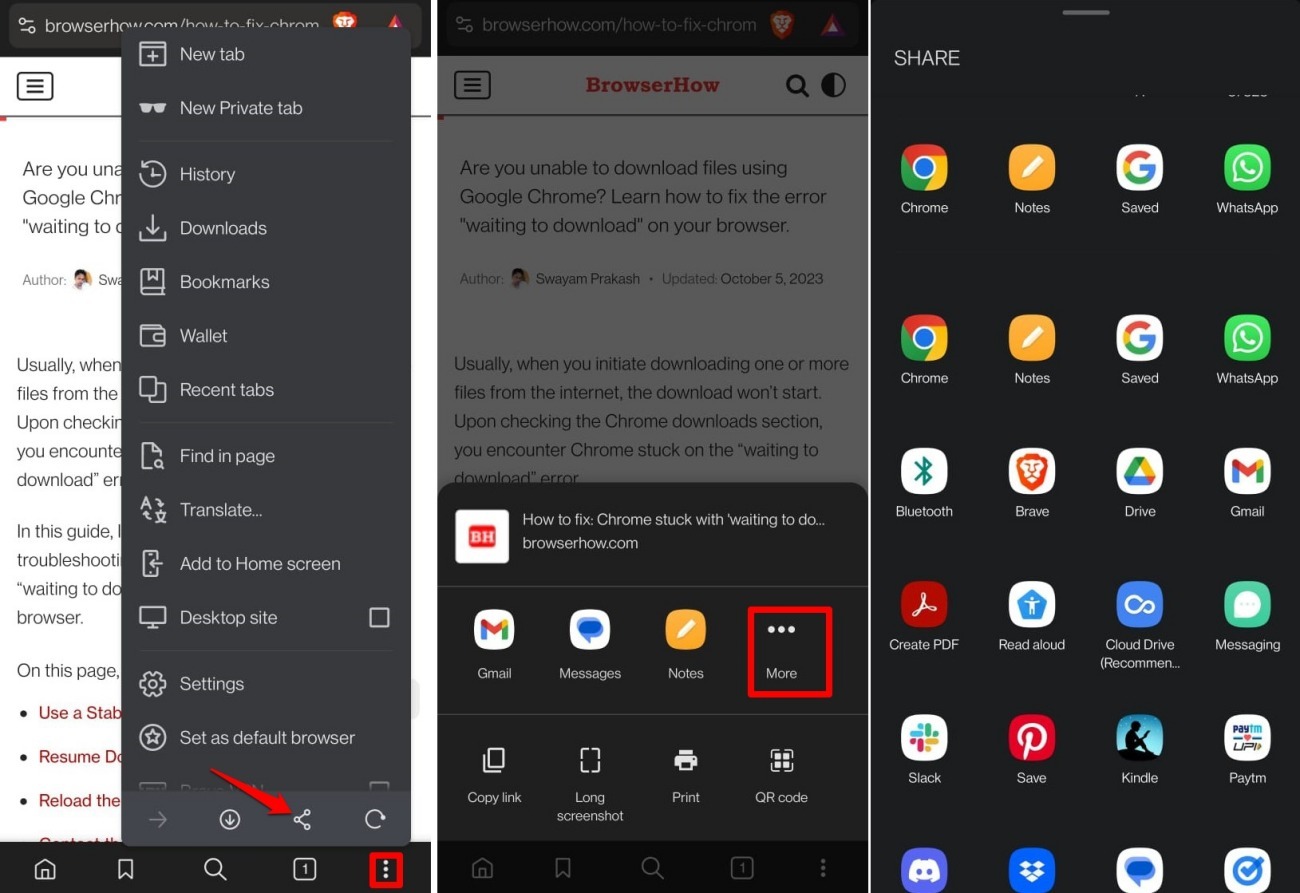
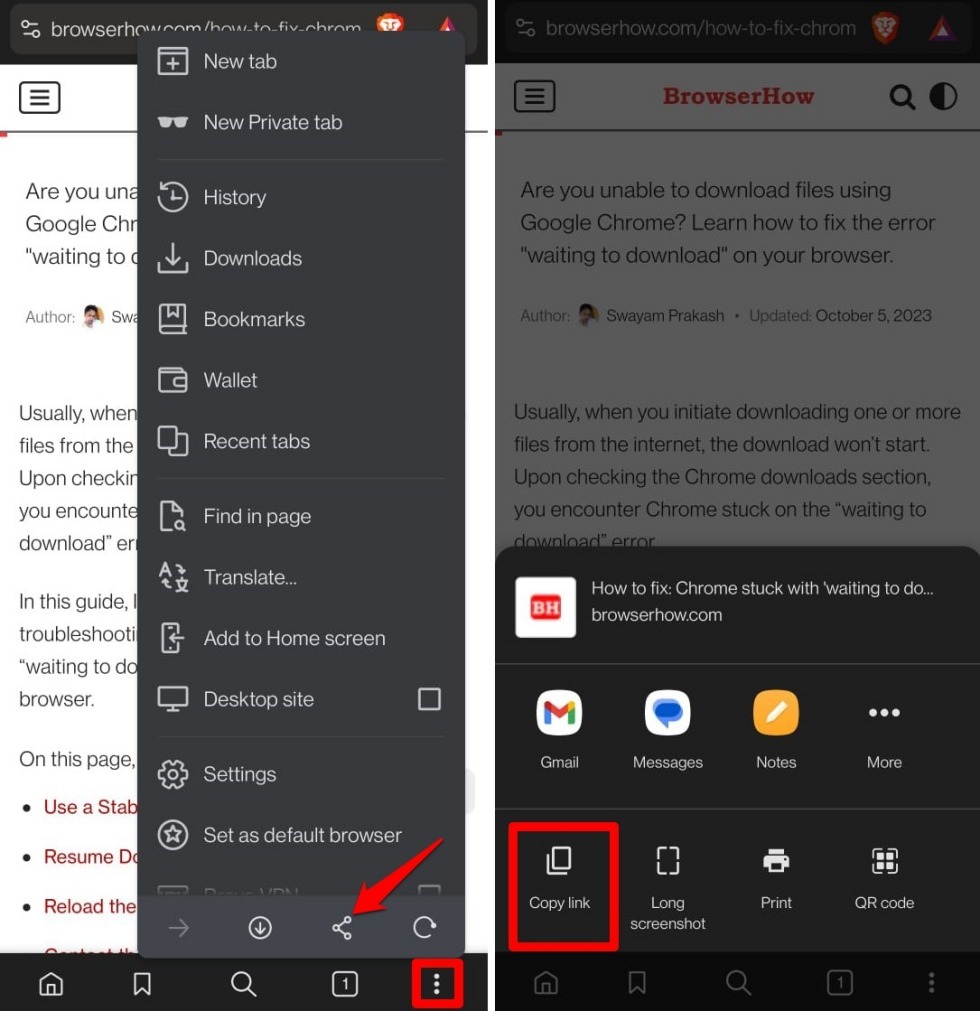
- Tap the
 menu at the bottom, then tap Share.
 - Pick the app where you want to send the link.
- If you don’t see the app, tap More to show all apps.
Copy the Page Link and Share it Externally
- Open Brave and go to the page you want to share.
- Tap the menu at the bottom.
- Tap Share.
- Tap Copy Link. The link is copied to your clipboard.
- Open the app where you want to paste the link.
- Paste the link.

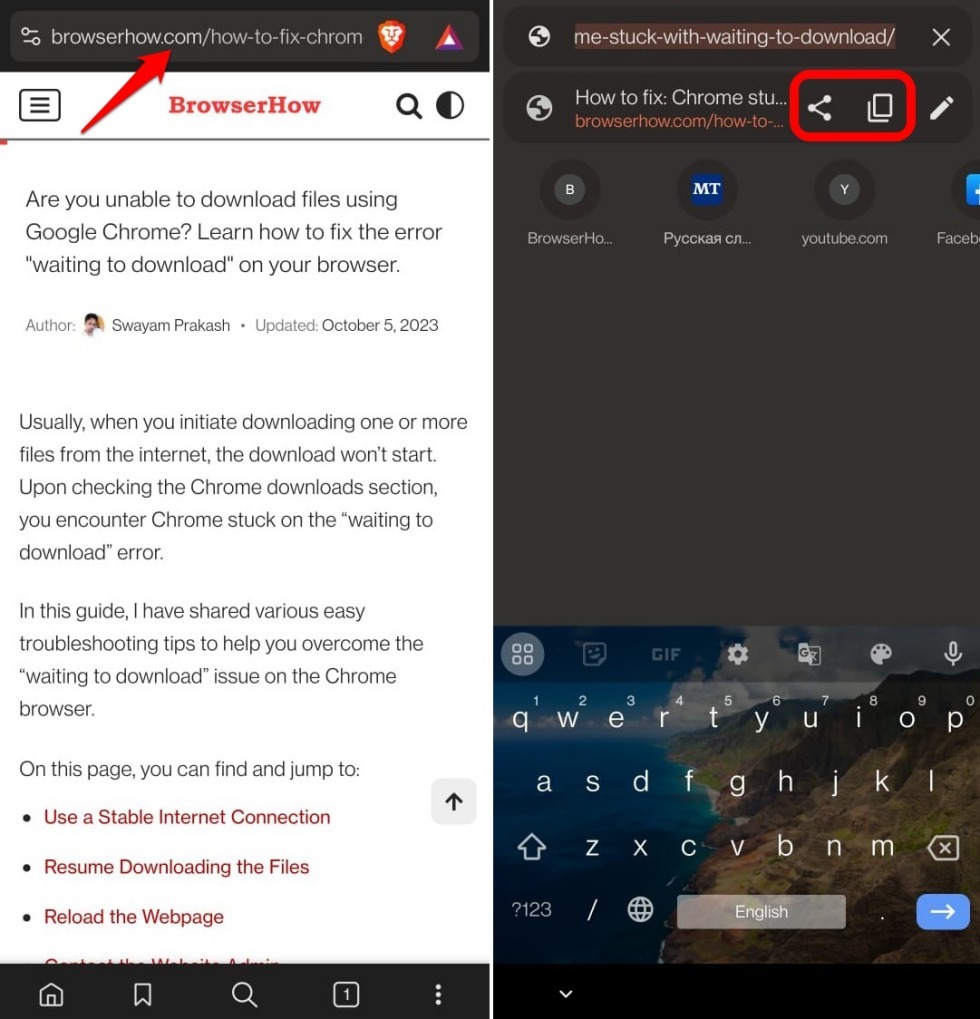
TIP: Tap the URL bar once: a quick panel appears with Share and Copy Link. Use that for faster sharing.
Bottom Line
You now have two ways to share a link from Brave on Android. Use the Share menu to send a link directly to any app, or copy it with Copy Link to paste elsewhere. No need to leave Brave or type long URLs.