Opera for Android defaults to Google for address bar searches. You can switch to DuckDuckGo, Bing, Ecosia, or several other engines in a few taps.
If you want fewer trackers, local results, or just a change of pace, the setting lives in your profile menu. The switch takes less than a minute.
In this guide, I have covered:
Contents
List of Search Engines Available on Opera Android
- Yahoo
- Bing
- DuckDuckGo
- Ecosia
- Qwant
- Startpage
- Amazon
- eBay
- Wikipedia
Steps to Change Search Engine on Opera for Android
When your address bar searches keep defaulting to Google but you want something else, here’s how to fix it.
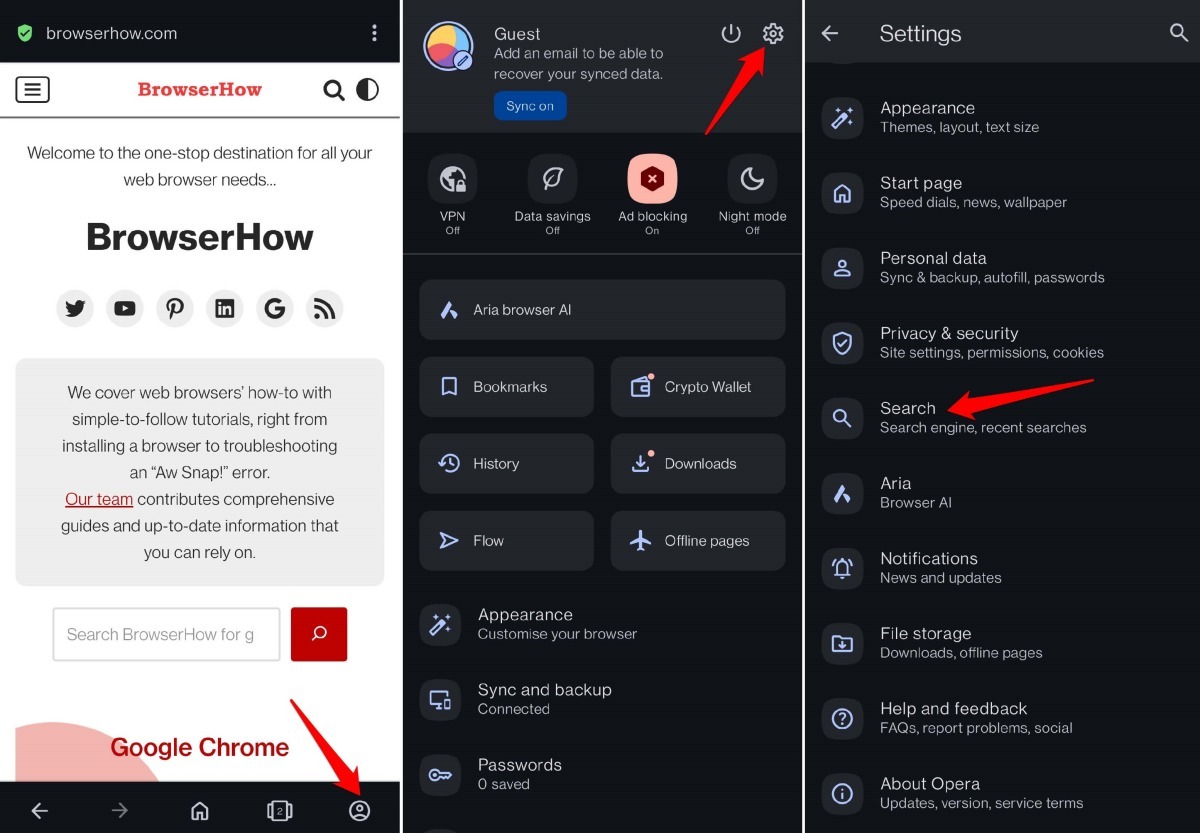
- Launch Opera.
- Tap your in the bottom right corner of the toolbar.
- Tap the
 icon to open .
 - Scroll down and tap .
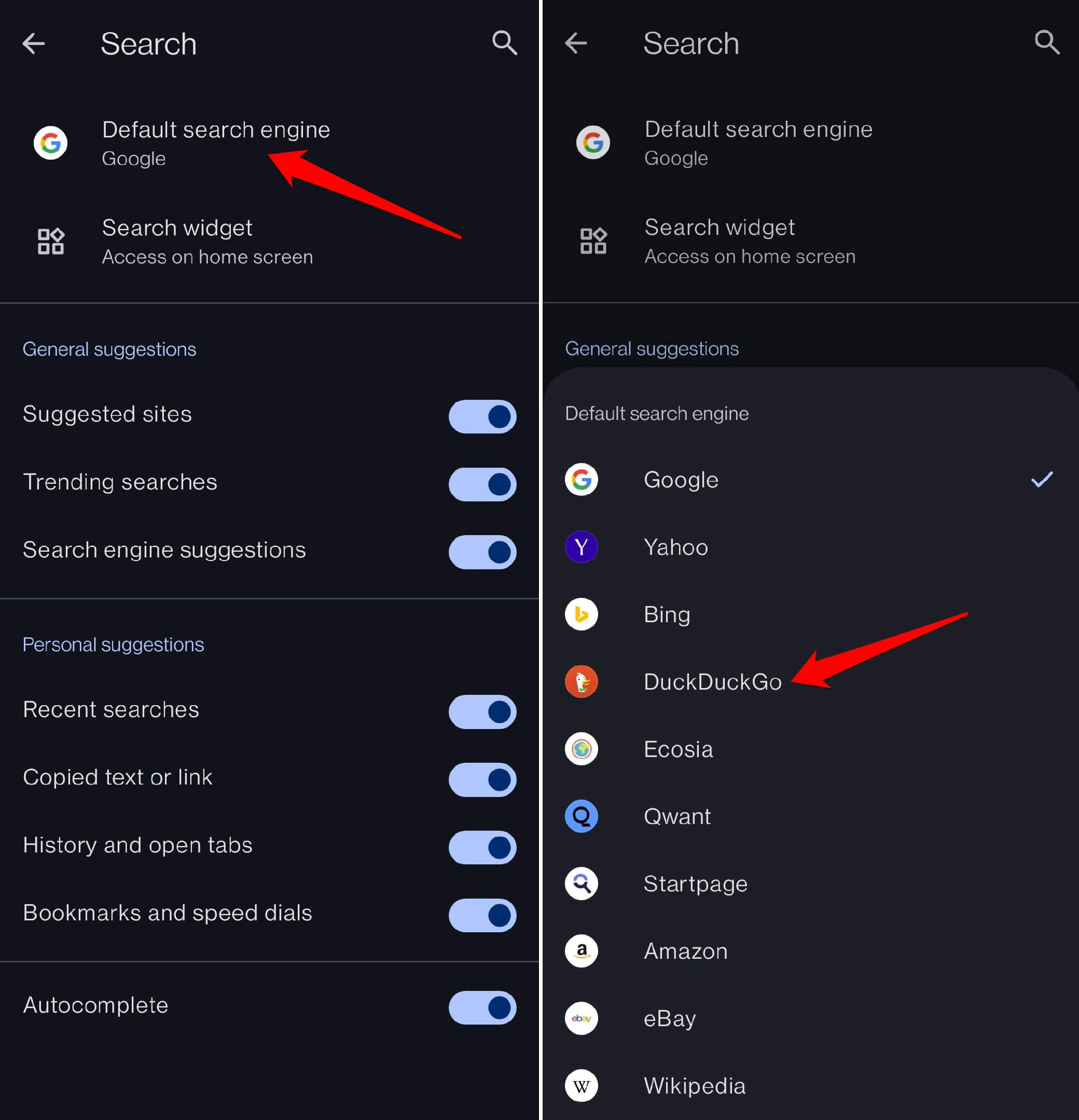
- Tap .
- Pick DuckDuckGo, Bing, Ecosia, or whichever engine you prefer.
Bottom Line
You’ll know it worked the next time you run a search from the address bar. If the results page looks different and shows your new engine’s branding, the change took. DuckDuckGo and Startpage keep your queries private by default. Ecosia uses ad revenue to plant trees. The setting sticks until you manually switch it again.