Opera for Android does not provide a dedicated toggle to allow or block sound for individual sites. Instead, you control audio directly on the page using the built-in media player controls.
Here's how to mute or lower the volume for any audio that plays automatically while browsing a site in Opera on Android, so you can avoid unwanted sound from ads and media.
In this guide, I have covered:
Contents
Allow or Block Sound Access
- Launch Opera on your phone.
- Open any website and start browsing.
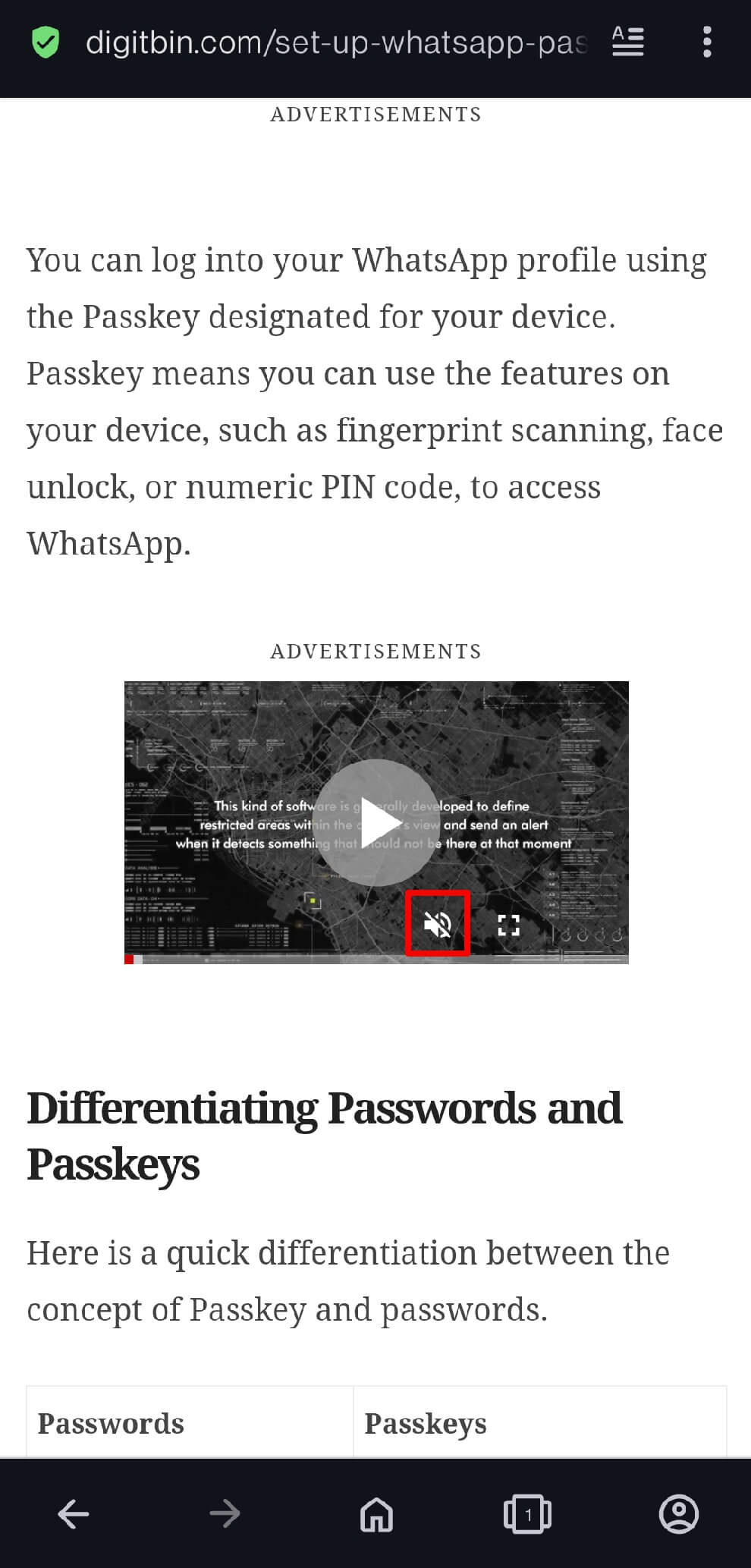
- If you hear audio from an ad or media, tap the media player that’s playing it.
- When the volume icon appears, tap it to mute the sound.
- Or tap the volume button and drag the slider down to lower the volume.
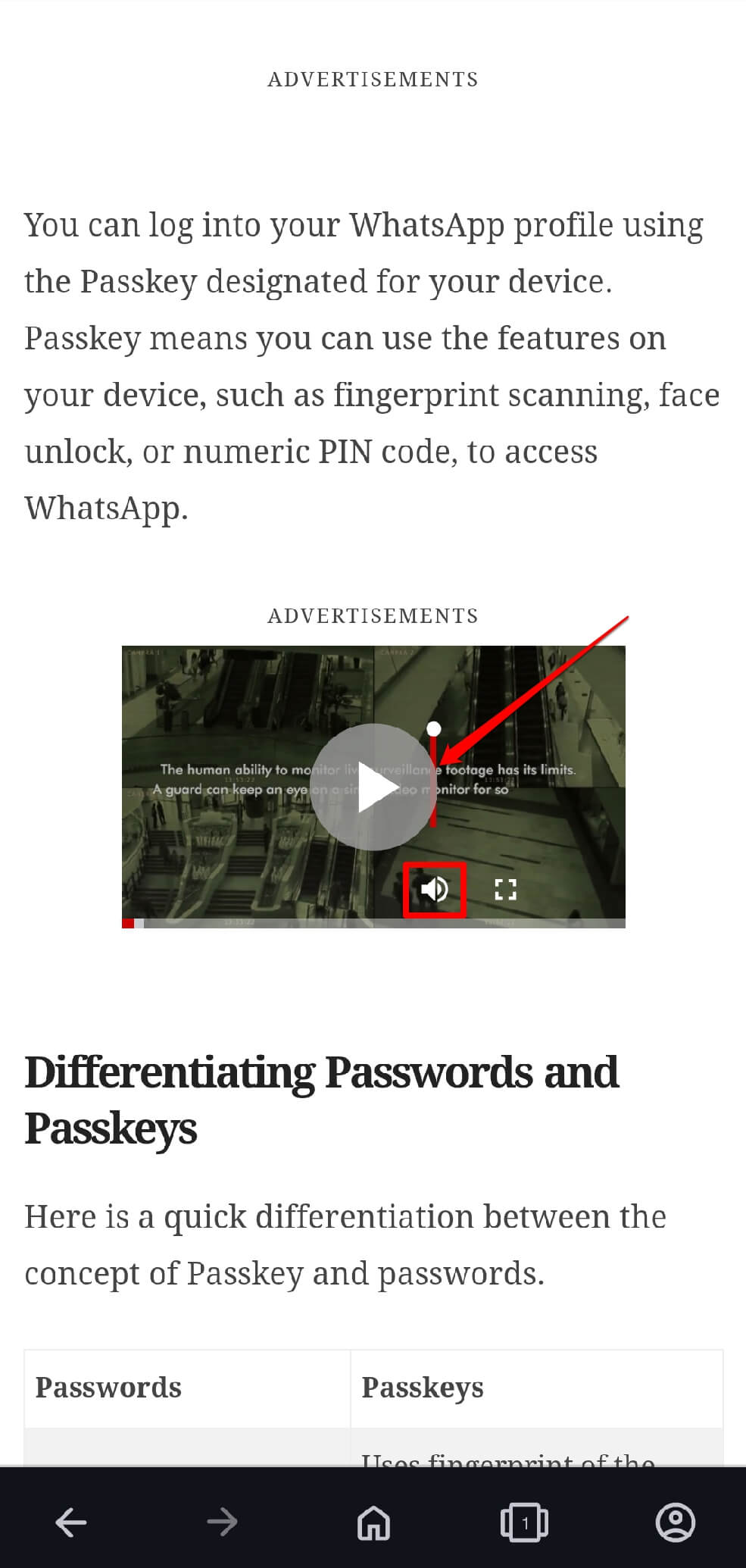

TIP: The audio you hear on a site usually streams through a media player that has a volume control or mute button. Tap it to mute or allow sound.
Bottom Line
Instead of Opera site settings, you can directly control the audio volume on the site you are browsing. If using Opera from a PC, follow this guide to block or allow sound on any website.