Is Brave on Android returning search results from a search engine you didn’t choose? The browser uses Brave Search by default, but it also supports Google, Bing, DuckDuckGo, Qwant, and Startpage.
You can set separate search engines for standard tabs and private tabs, giving you full control over where your queries go.
In this guide, I have shared instructions about:
Contents
Change the Search Engine in Brave app
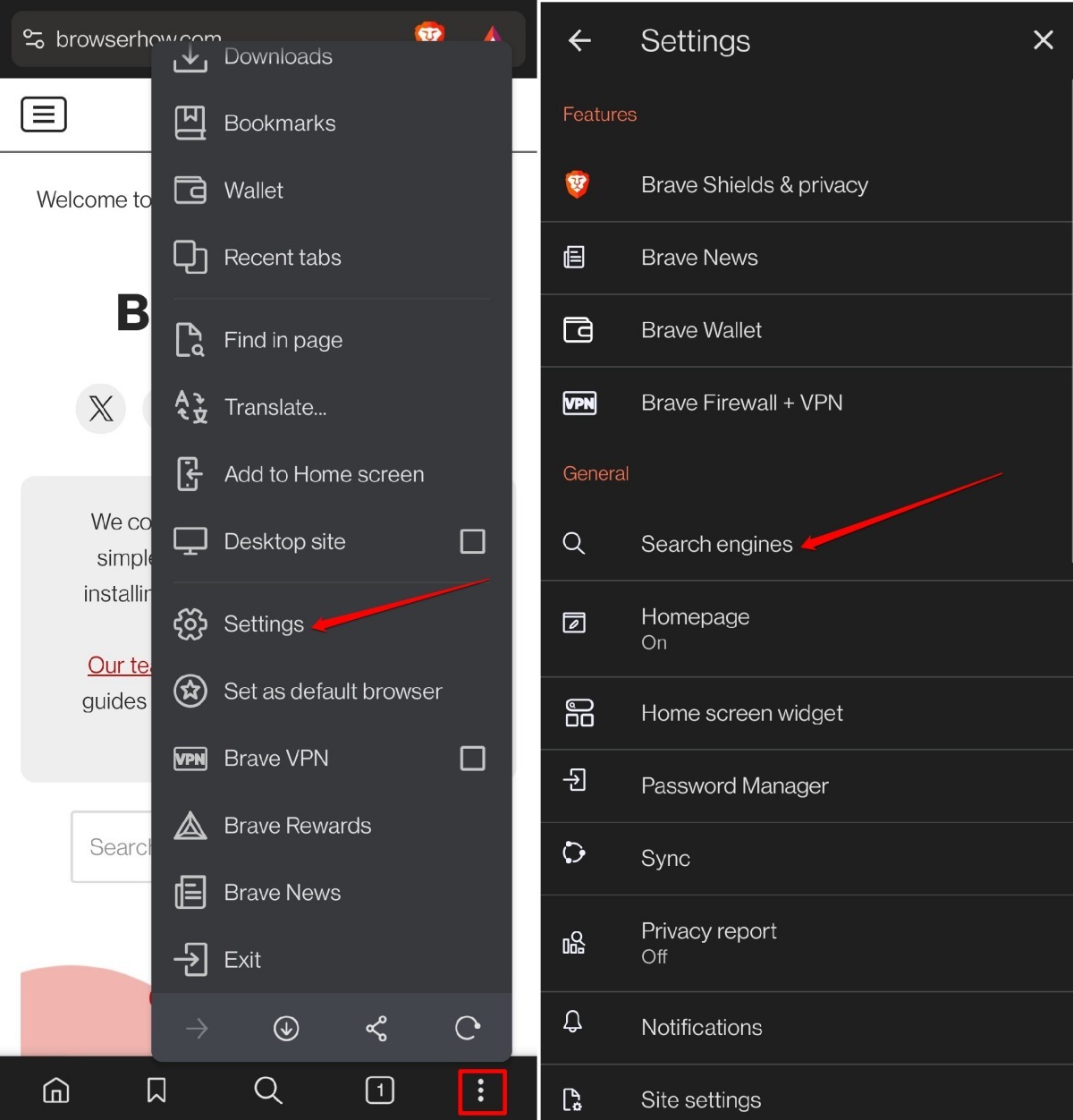
- Launch the Brave browser on your mobile device.
- Tap the
 menu and select Settings.
 - Under the General section, go to Search Engines.
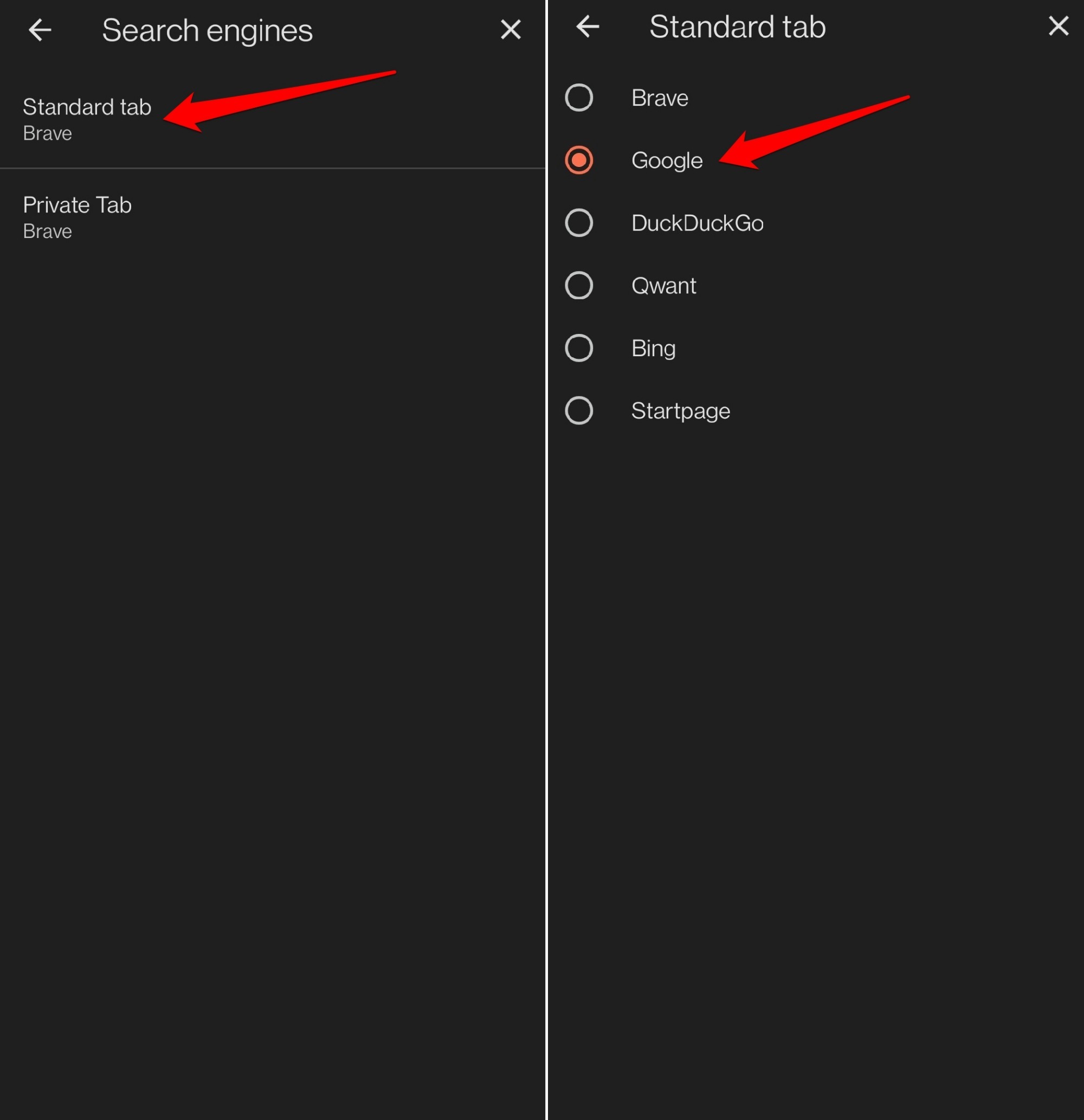
- Tap on the Standard tab.
- Select the Search engine to use in standard mode.
- Press the Back button.
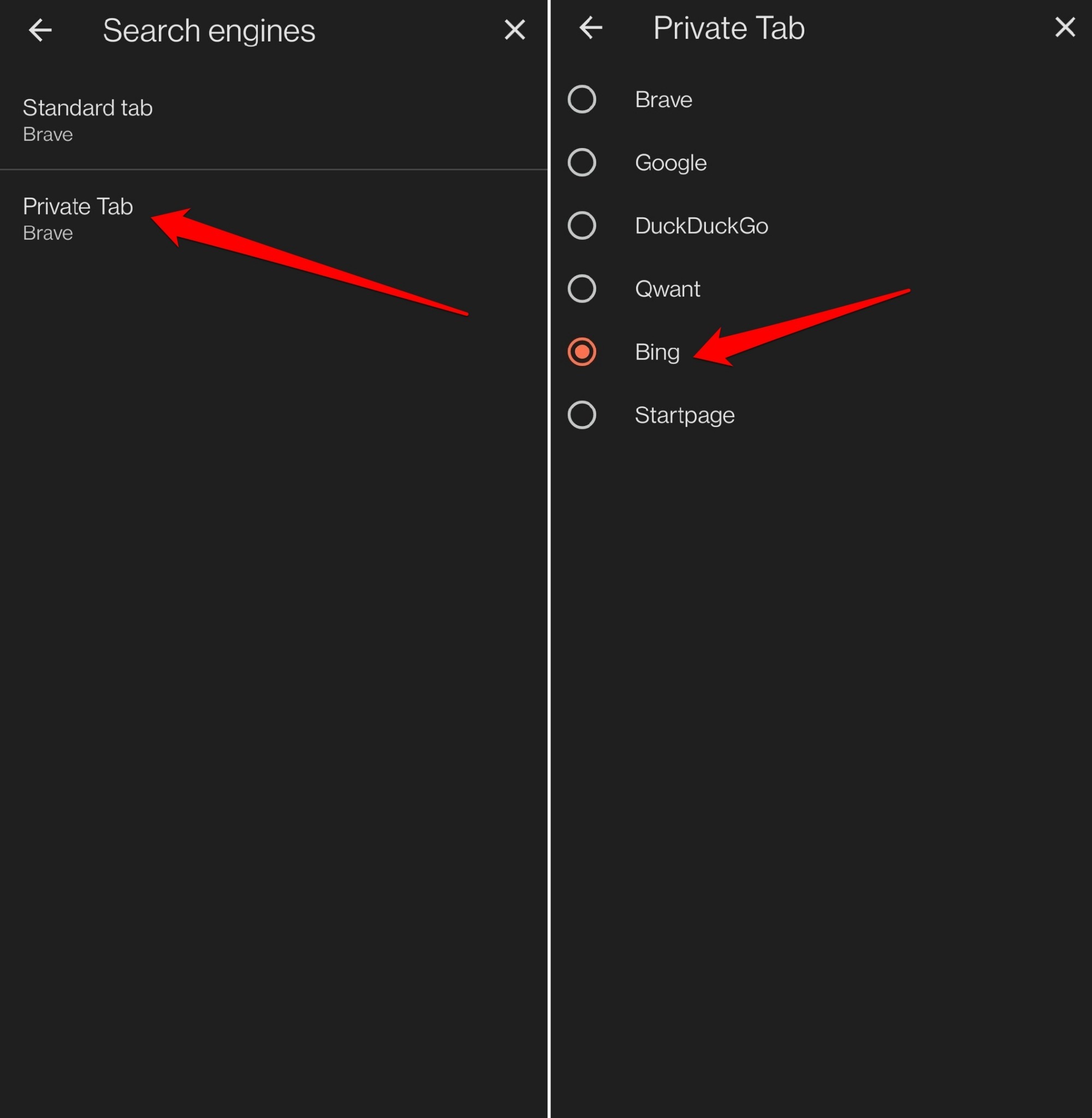
- Go back to the Private Tab under Search Engines.
- Set the search engine to use in private mode.
- Tap the Back button.
List of Search Engines Offered
- Brave Search
- DuckDuckGo
- Qwant
- Bing
- Startpage

You can add a custom search engine on Brave if using the browser from a PC. There is no provision for using a custom search engine on the Brave browser in Android.
Bottom Line
Once you’ve set your preferred search engines, a search from the address bar will use the new default. Open a private tab to confirm the private setting took effect.
If results still come from the old engine, go back to Settings > Search Engines and make sure you selected the right option for each tab type.