Firefox app lets you load the desktop version of any website on your iPhone. Once enabled, the page renders as it would on a computer, giving you access to the full layout and features.
The desktop view setting persists across new tabs and even after closing Firefox, so you'll need to revert manually if you want the mobile version back.
In this guide, I have covered:
Contents
Enable Desktop Site View in Firefox app
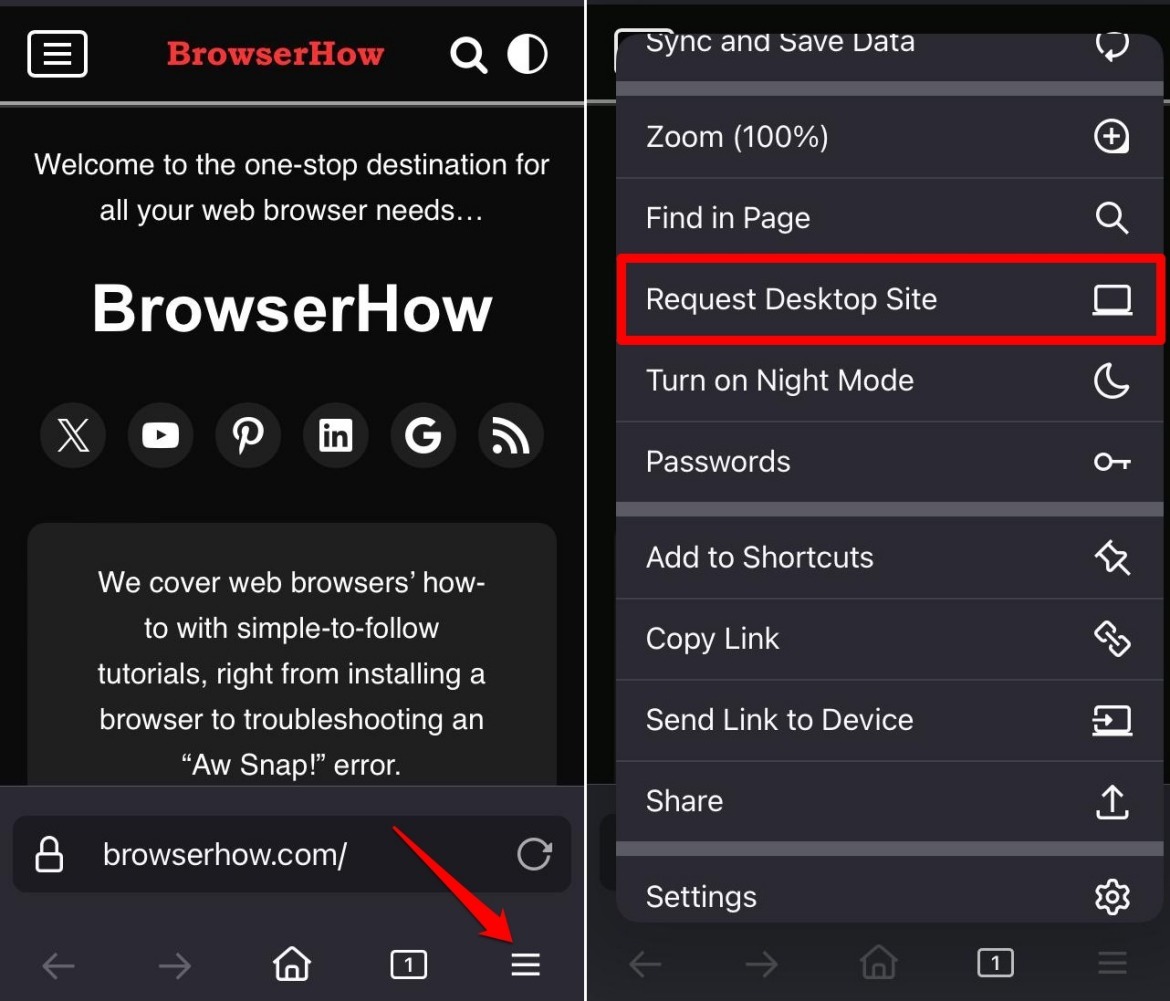
Follow the steps to turn on the desktop view on Firefox on iPhone:
- Launch the Firefox app for iOS.
- Open a page or site on the browser.
- Tap on
 More.
More. - Press Request Desktop Site from the menu.
Revert to Mobile Site View
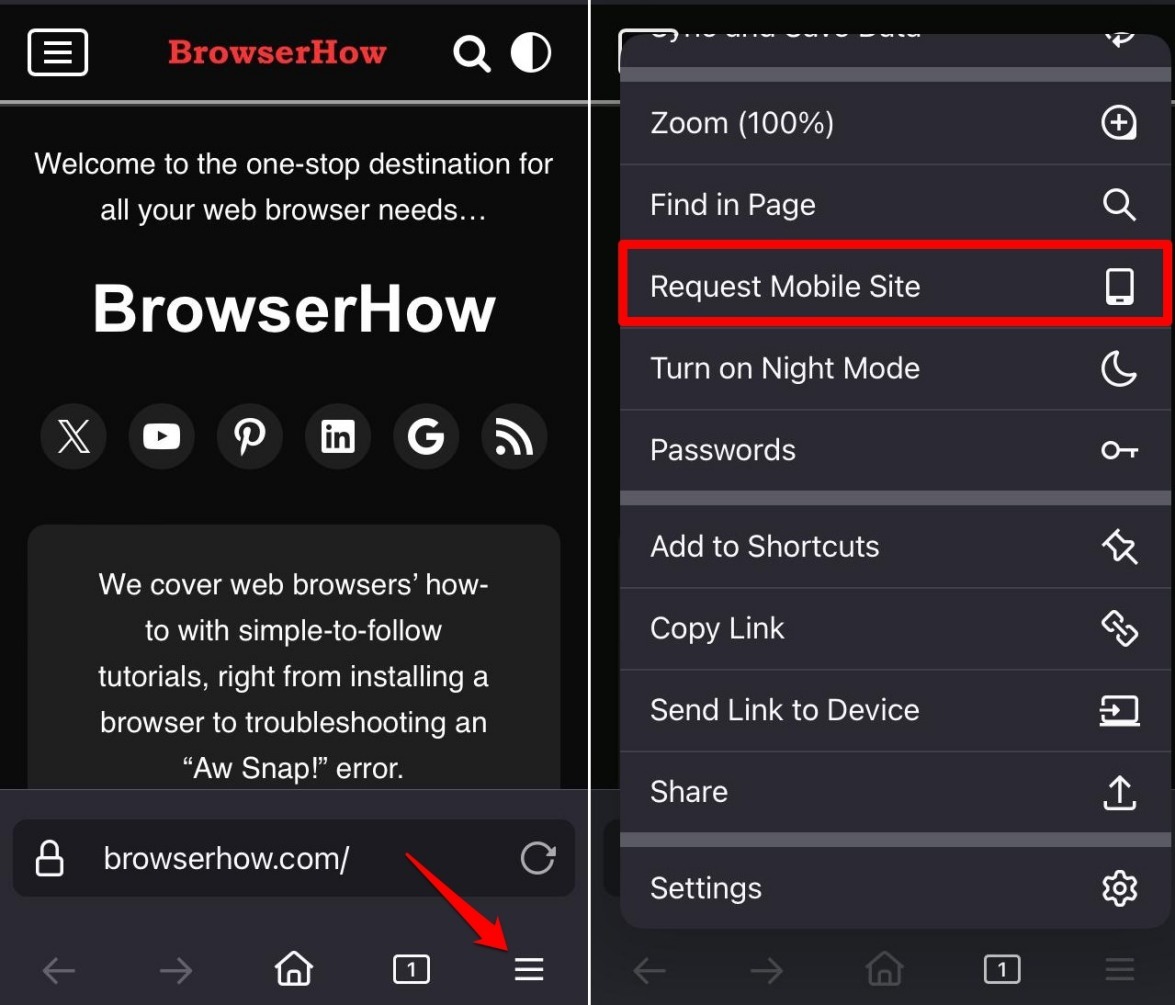
If you prefer to view a page in the original view meant for phones, revert to the mobile site view.
- While the page is still in desktop view, tap on More.
- Press Request Mobile Site.

Even if you close the browser tab and reload the page in a new tab, the page will automatically load in the desktop site view. The same happens when you close Firefox iOS from Recent Apps. You must revert to the mobile view manually.
Bottom Line
Some pages are designed exclusively to be viewed on desktop versions of browsers. To see the full desktop layout on your iPhone, switch to desktop mode in Firefox.