Skip to content

Block or Allow Browser Cookies in Firefox on iPhone or iPad

Cookies remember your logins and site preferences, but they also track where you go to show you ads.

If you’re worried about privacy, you can turn them off completely in Firefox app.

Block Cookies on Firefox browser

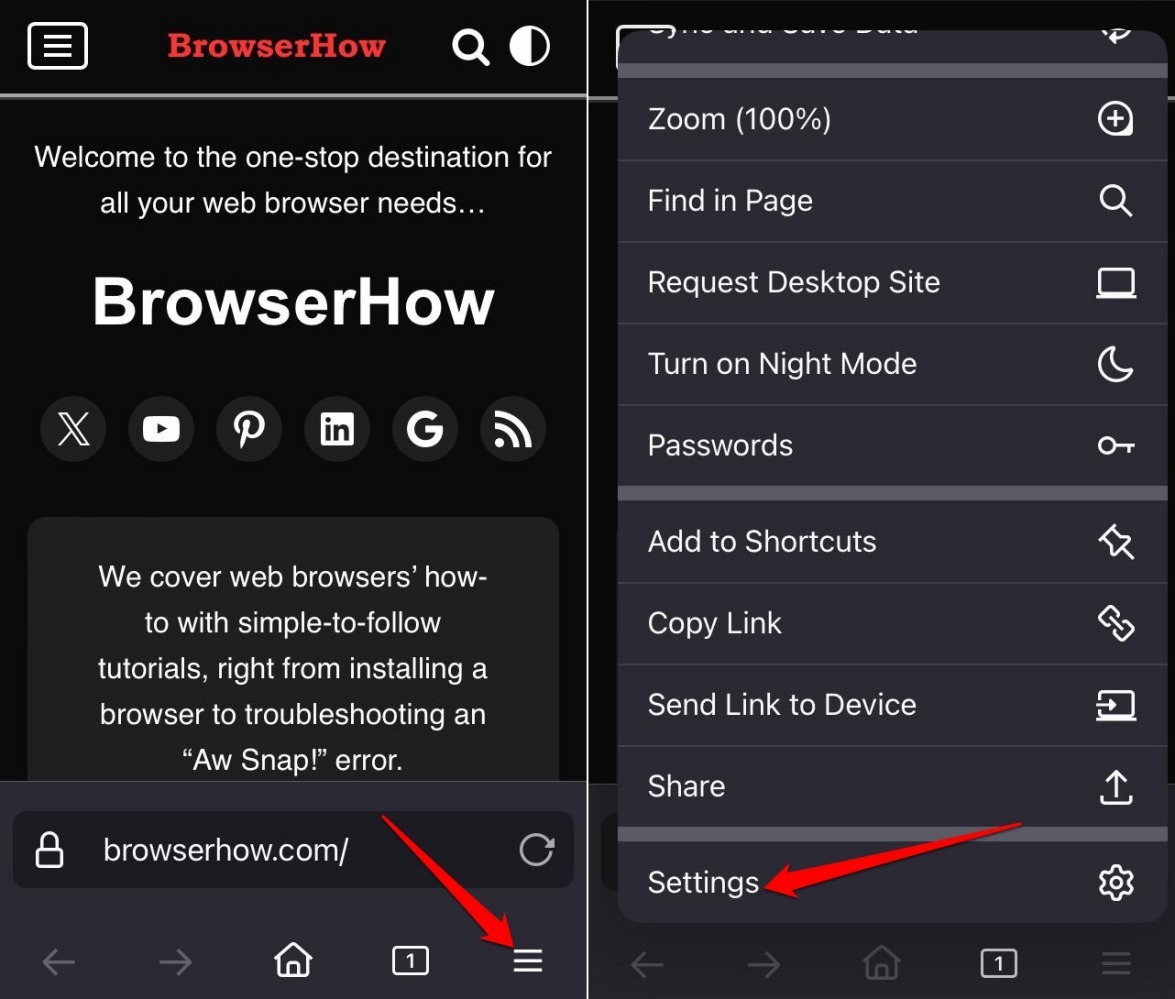
  1. Launch the Firefox app on your iPhone.
  2. Tap on horizontal 3-bar icon More > Settings.
    Go to Firefox iOS settings
  3. Go to Data Management.
  4. Press the toggle next to Cookies to turn off the feature.
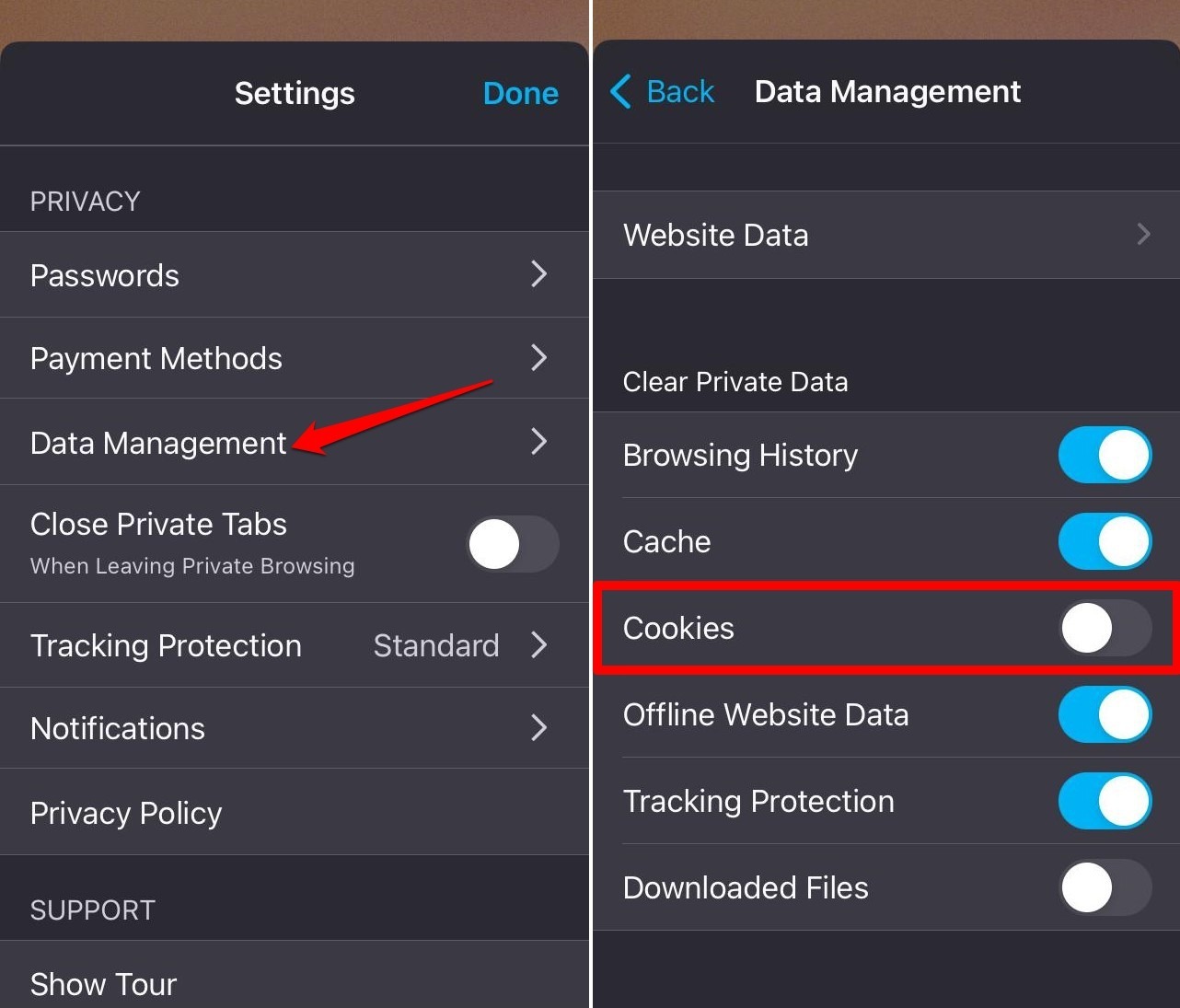
    block cookies on Firefox iOS

bulb tip icon

TIP: Alternatively, tap on Clear Private Data to remove cookies saved.
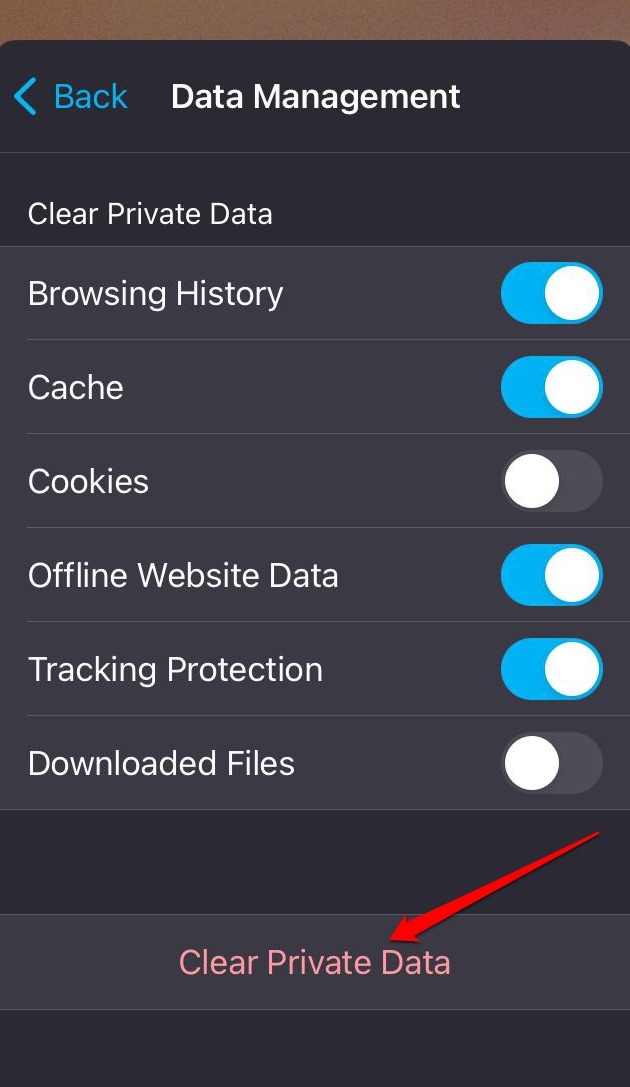

clear private data on Firefox iOS

Allow Cookies on Firefox app

If you prefer to allow cookies on Firefox, turn it on in the Firefox Data Management settings.

  1. Open the Firefox app.
  2. Tap on More > Settings.
    Go to Firefox iOS settings
  3. Go to Data Management.
  4. Press the toggle beside Cookies to turn on the feature.
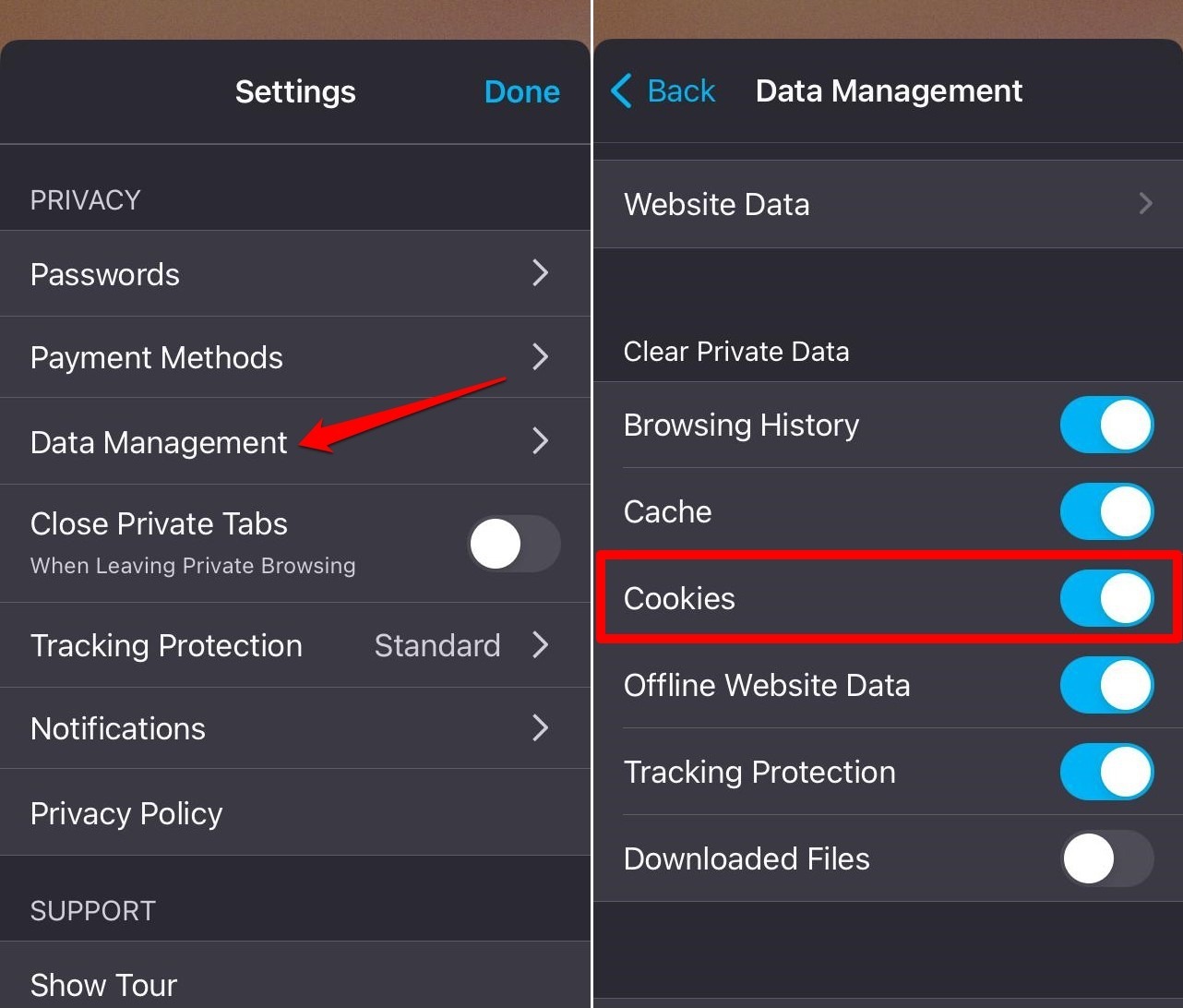
    allow cookies on Firefox iOS

Bottom Line

Firefox for iOS gives you a simple toggle: cookies on or off. Leave them on, and you’ll see ads that match your interests. But if you allow cookies from sites you don’t trust, your login details could be exposed.


Please share the article if you find it helpful:

Disclosure: This page may contain affiliate links, which means we may receive compensation for your purchases; of course at no extra cost to you (indeed, you may get special discounts).
Swayam Prakash

Swayam Prakash

Swayam is a professional content creator with 6-years of experience in conceptualizing, creating, and managing tech-based content for notable online publishing firms. He troubleshoots the technical issues and loves to write about it. Connect him on LinkedIn.

Leave a thought or feedback

Please leave a descriptive comment or feedback with your real name. Our human moderator vets every comment, and it may take 24 to 48 hours to get published or rejected.
Your email address will not be published, and we will never spam your inbox. Required fields are marked *