
Cookies remember your logins and site preferences, but they also track where you go to show you ads.
If you're worried about privacy, you can turn them off completely in Firefox app.
Block Cookies on Firefox browser
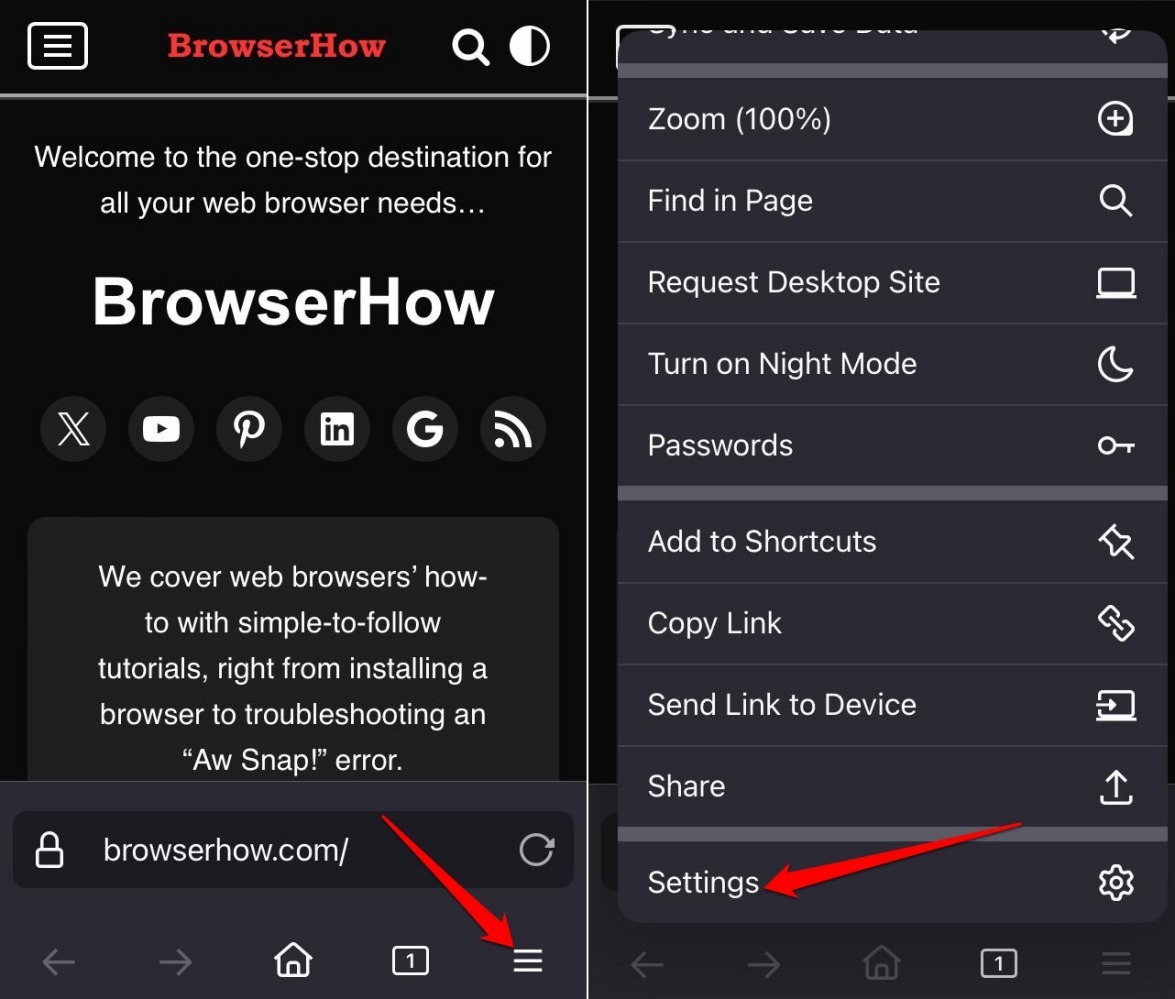
- Launch the Firefox app on your iPhone.
- Tap on
 More > Settings.
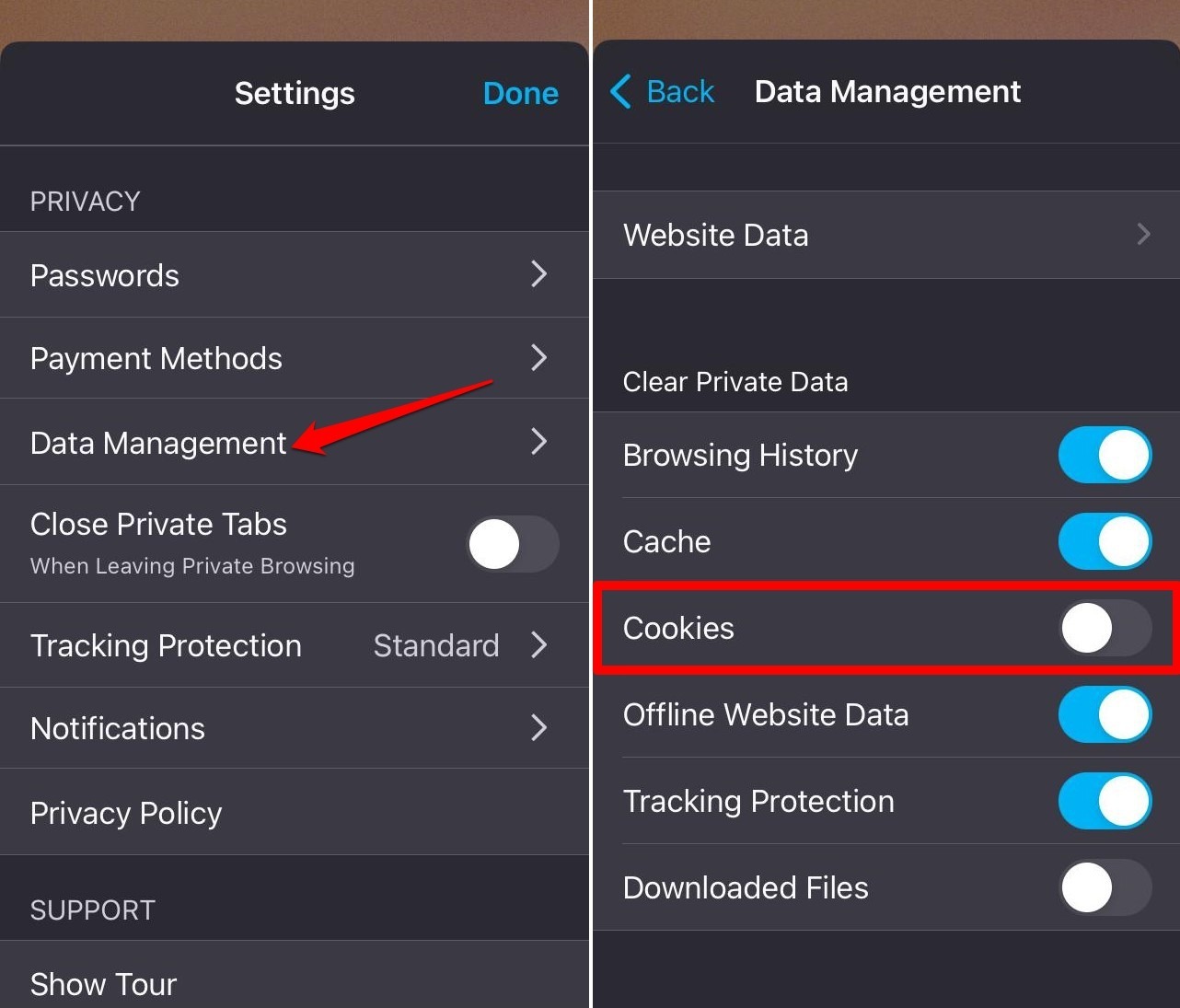
- Go to Data Management.
- Press the toggle next to Cookies to turn off the feature.

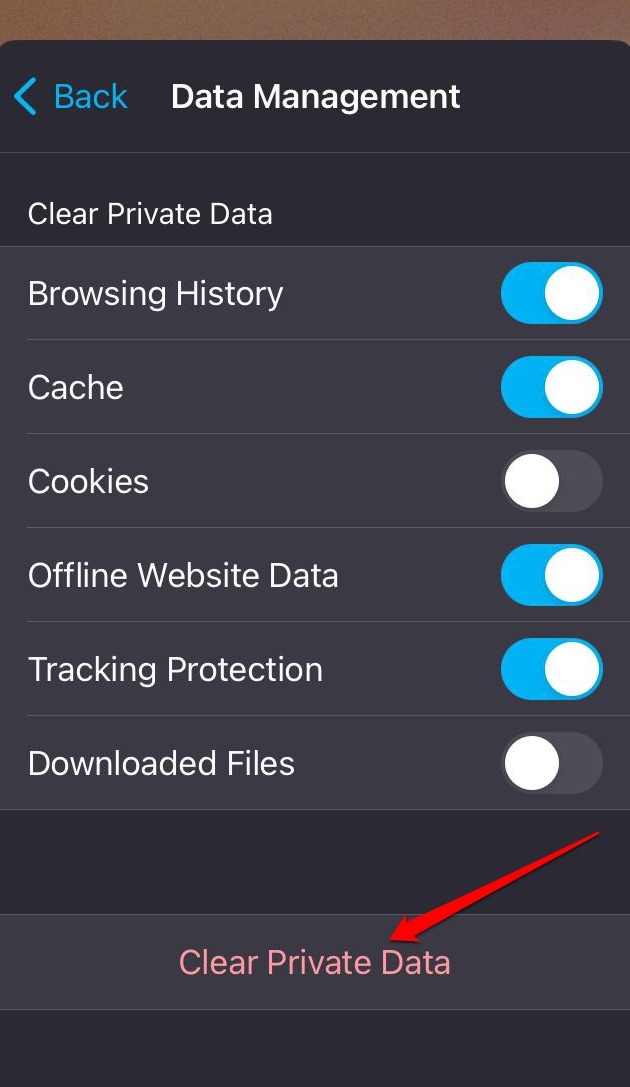
TIP: Alternatively, tap on Clear Private Data to remove cookies saved.
Allow Cookies on Firefox app
If you prefer to allow cookies on Firefox, turn it on in the Firefox Data Management settings.
- Open the Firefox app.
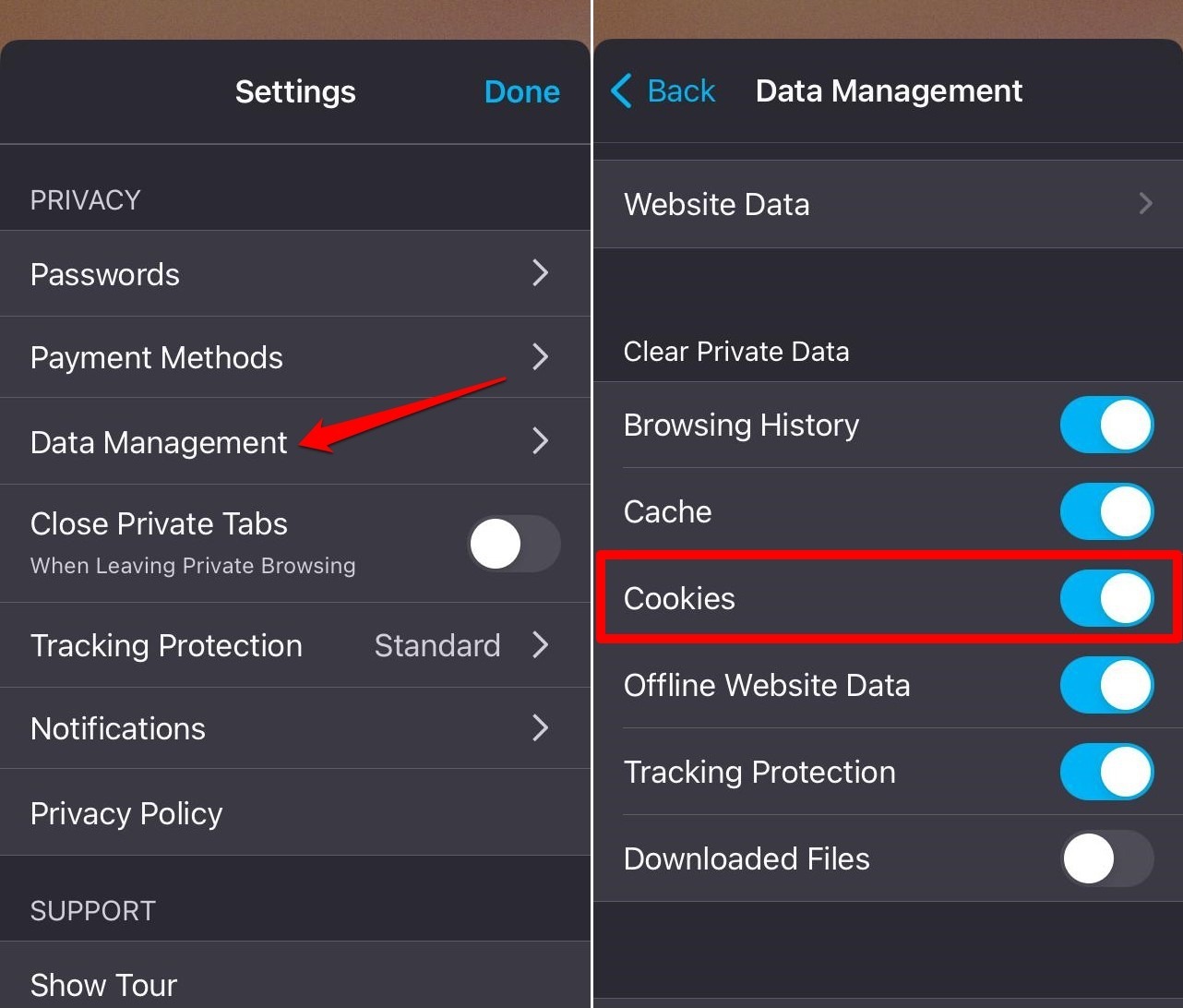
- Tap on More > Settings.
- Go to Data Management.
- Press the toggle beside Cookies to turn on the feature.
Bottom Line
Firefox for iOS gives you a simple toggle: cookies on or off. Leave them on, and you’ll see ads that match your interests. But if you allow cookies from sites you don’t trust, your login details could be exposed.