Safari Technology Preview 251 is now available for macOS Golden Gate and Tahoe. This preview build lets developers test WebKit changes ahead of the consumer Safari release.
If you already have the preview installed, grab the update from the Mac App Store. The article walks through the update steps and how to confirm you're running Release 251.
In this guide, I have covered:
Contents
Safari Technology Preview 251 Lands for macOS Golden Gate and Tahoe
Safari Technology Preview Release 251 is now available for macOS Golden Gate and macOS Tahoe.Apple pushed Safari Technology Preview Release 251 to its preview channel. The build runs on macOS Golden Gate and macOS Tahoe, giving developers an early look at WebKit changes before they land in the consumer Safari release.
How to Update Safari Technology Preview on Mac
If you already have Safari Technology Preview installed, the new build typically shows up in the Mac App Store Updates tab. You can also check manually with the steps below.
- Click on the Apple
 menu from the menu bar and select the System Settings... sub-menu.
 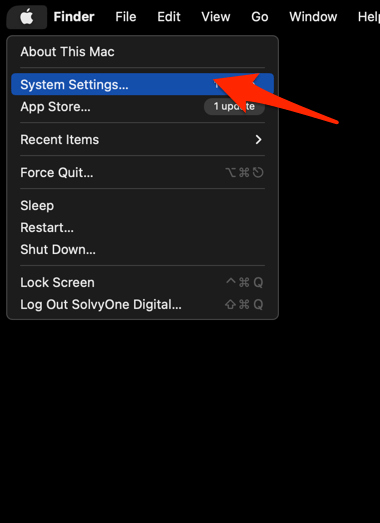 It will open the System Settings window.
 - Select the General tab in the left sidebar, and choose the Software Update tab.
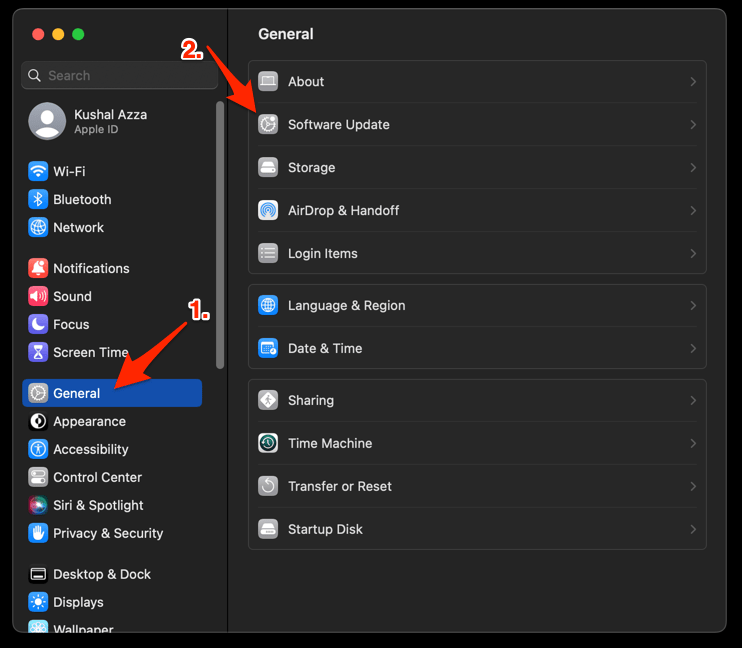 The macOS System will check for any available upgrades in the background.
 - Click on the More Info... tab and enable the checkbox for Safari updates (if any are available).
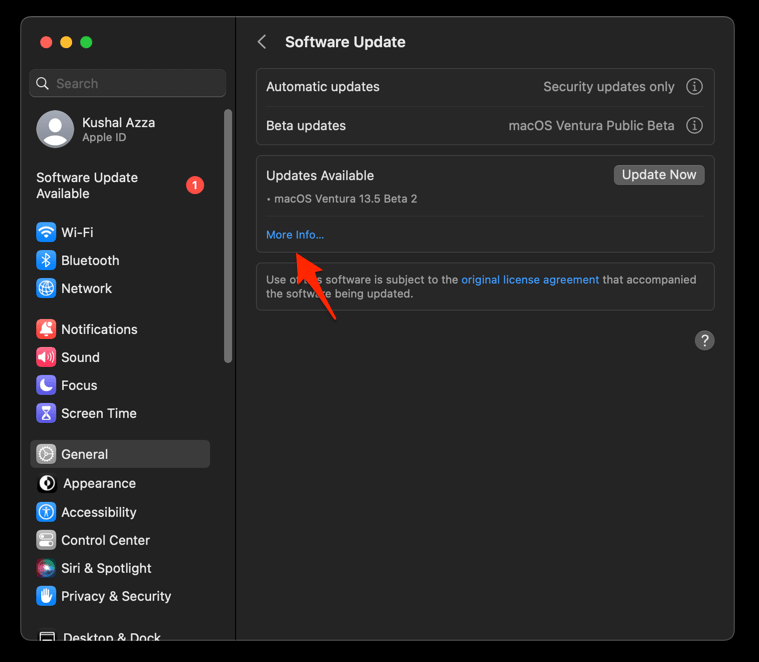
- Hit on the button.
It will update the Safari browser.
After the update completes, relaunch Safari Technology Preview and confirm the new build number from the About screen.
How to Check Your Safari Technology Preview Version
Open the Safari menu in the menu bar and choose About Safari Technology Preview. The window displays the current build, and a prompt appears if an update is still pending on your Mac.
If your device still shows an earlier build, refresh the App Store again in a few hours. Preview channel rollouts can be staggered depending on your developer profile and macOS version.

Safari Technology Preview is a separate app from the consumer Safari that ships with macOS, so installing it does not replace your daily browser.