
You're reading a long article and need to find a specific word. Scrolling manually is slow and easy to miss. Firefox for iPhone includes a Find in Page tool that highlights every match instantly, so you can jump right to what you need.
The search bar sits at the bottom of the screen. Type your term and every occurrence on the page lights up, with the first one in orange and the rest in yellow. Use the arrows to move between them, then tap X when you're done.
In this guide, I have covered:
Contents
Use “Find in Page” to Search Text
- Launch the Firefox browser on your iPhone.
- Open a site or page.
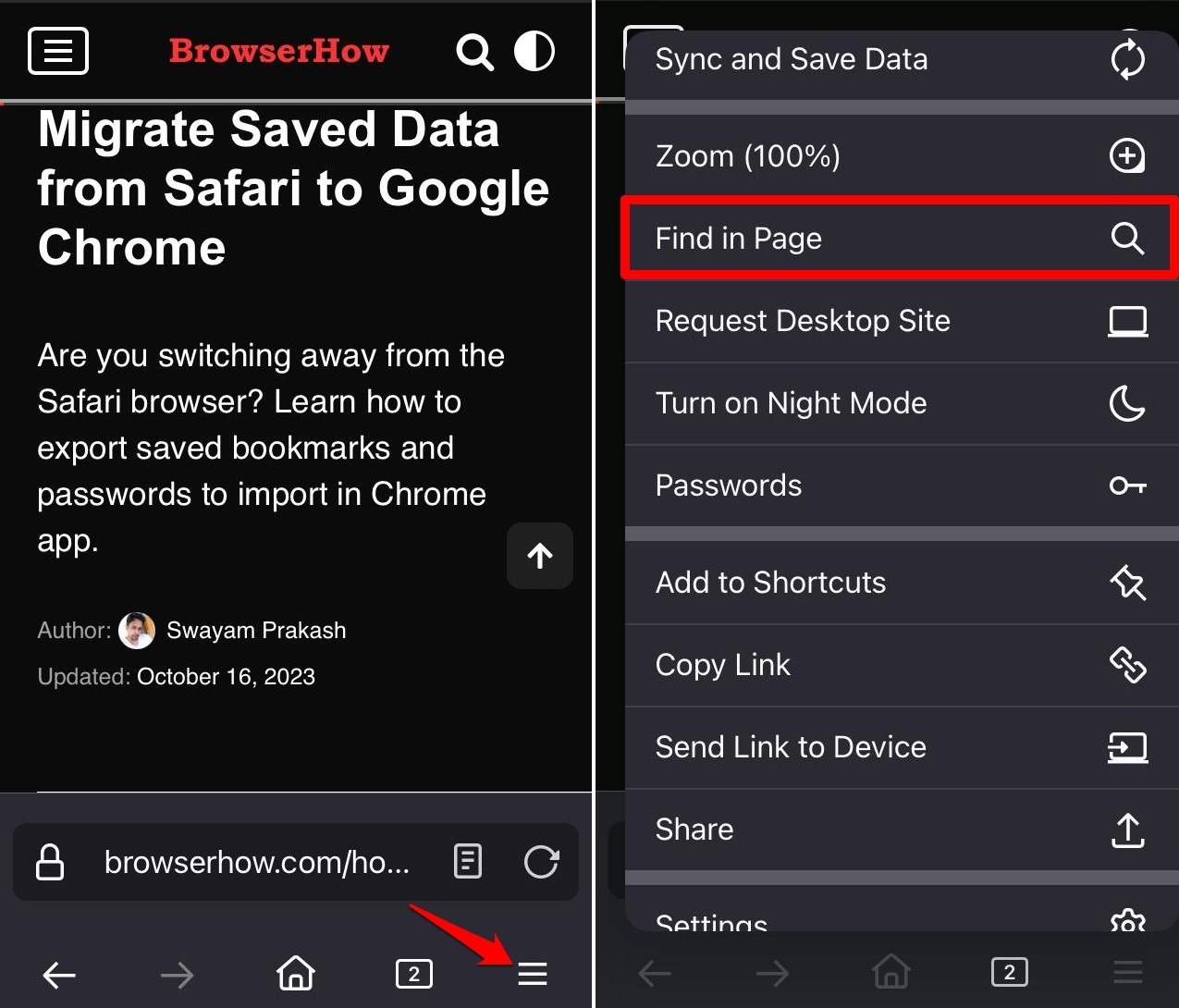
- Tap on
 More > Find in Page.
- Type the term you want to look up in the search bar at the bottom.
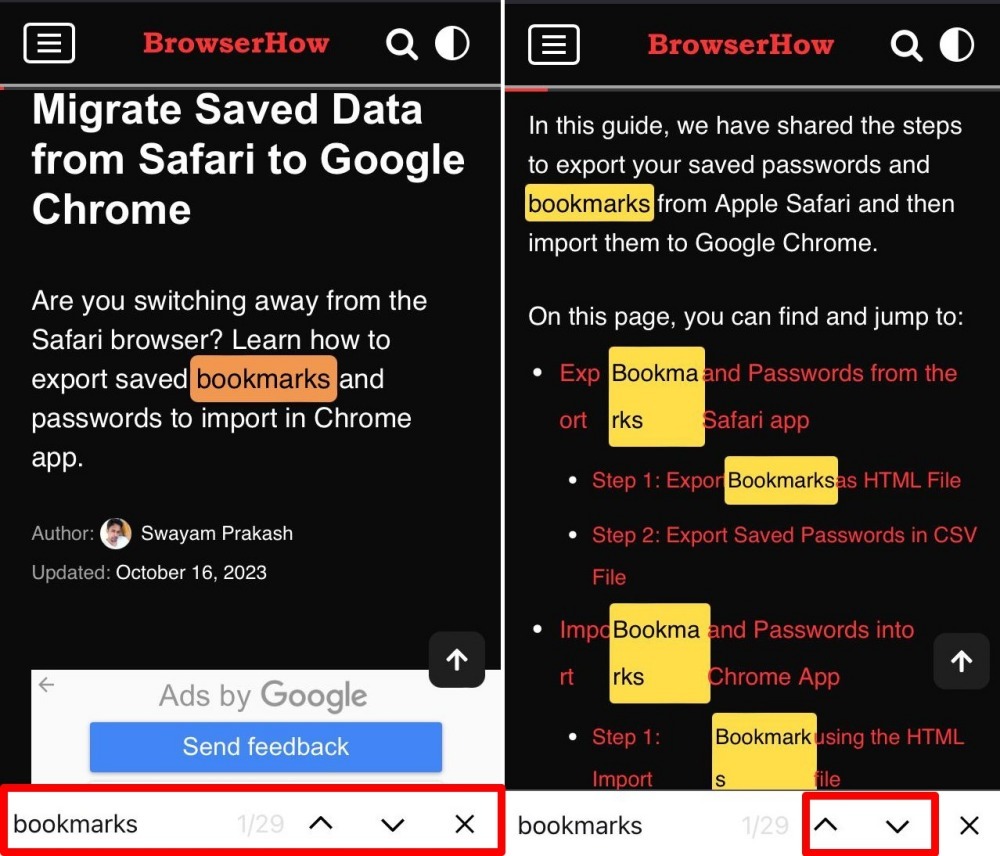
The first match appears in orange. All other matches show up in yellow. Tap the up or down arrow to jump between them. When you’re done, tap the X to close the search bar.
Bottom Line
You’ll know it worked when you see the first match highlighted in orange and the rest in yellow. No more scrolling. If you need to find a word fast, this tool saves time.