Need to send a webpage link from Opera on Android to someone else? The browser's share menu posts the address directly to another app. When the share sheet opens, pick any app and send the page address.
If you'd rather copy the link first, the share panel also has a Copy button. Tap it to put the URL on your clipboard, then paste it into any app whenever you're ready.
In this guide, I have covered:
Contents
How to Share a Website Link Externally on Opera Android?
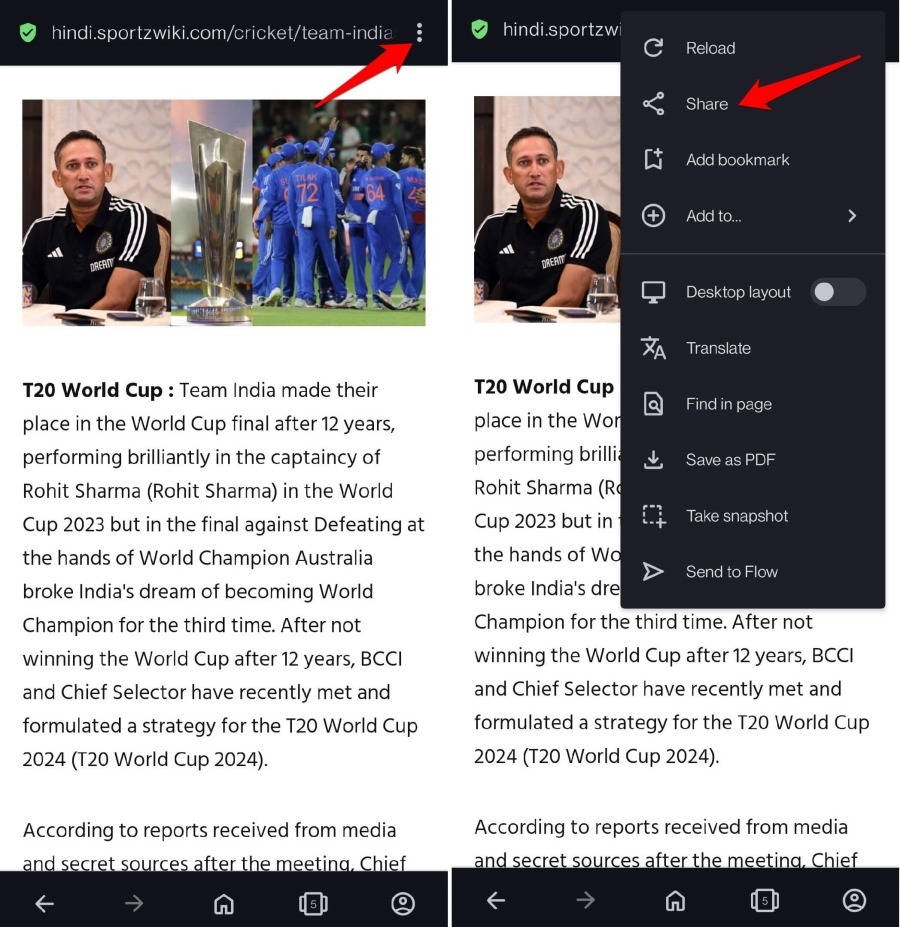
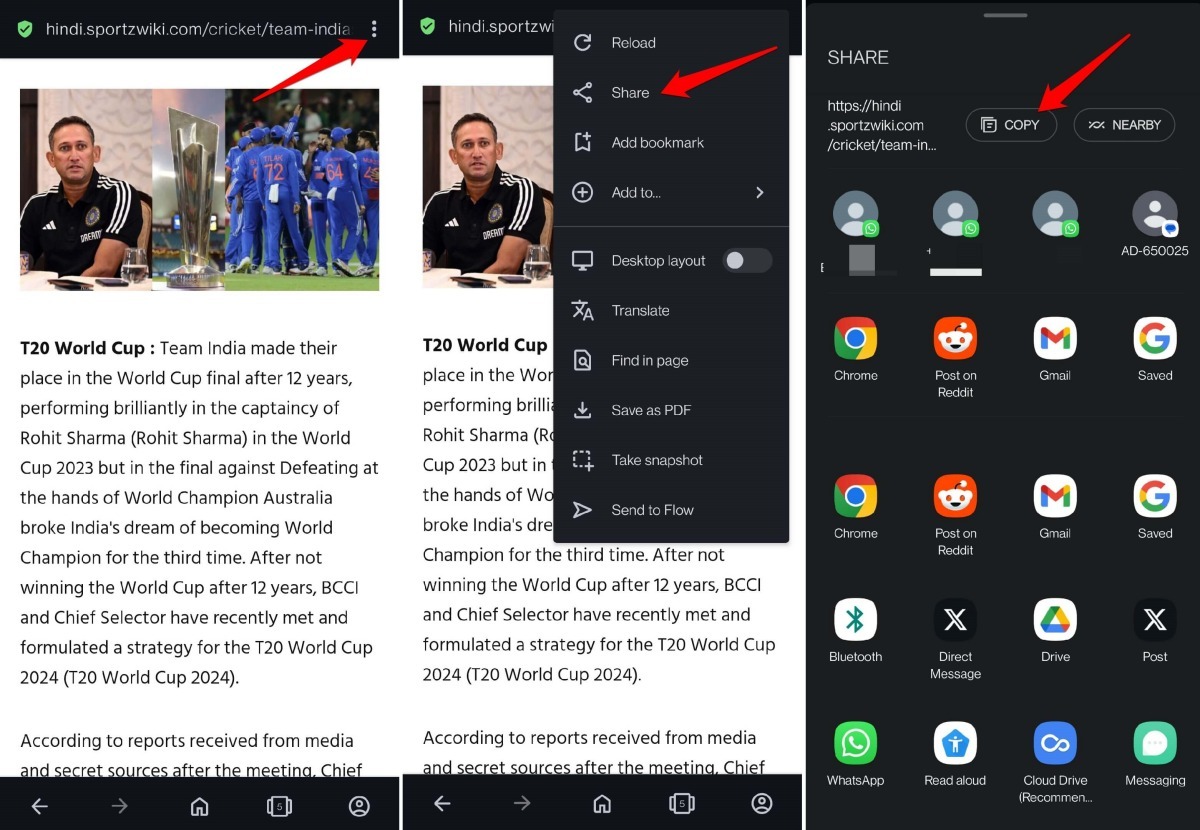
- Launch the Opera browser app on your Android device.
- Open the webpage you want to share.
- Tap the
 menu icon in the top-right corner of the address bar.
 - Select Share from the menu.
- In the share panel that opens, tap the app you want to send the link to.
- The app opens ready to share the link on its feed.
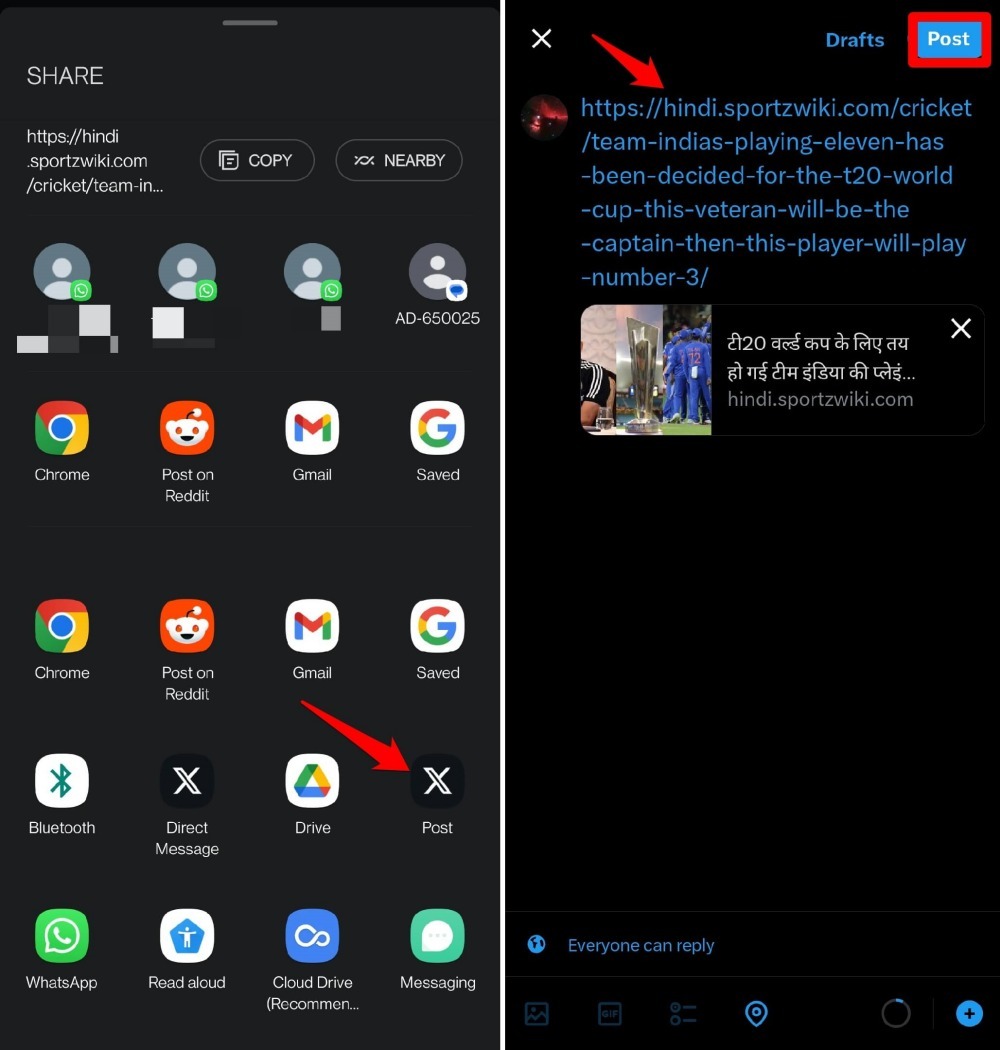

The Share panel also shows direct message shortcuts for social and messaging apps, so you can send the link without leaving the share sheet.
Share a Website Link by Copying
- Open Opera on your Android phone.
- Open the webpage you want to share.
- Tap the three-dot menu icon at the top-right of the address bar.
- Select Share from the menu.
- In the Share panel, at the top, tap the Copy button. The page link copies to your clipboard.
- Now, launch any app where you want to paste the link.
- Paste the link and share it.
Bottom Line
You’ll know it worked when the link appears in your chosen app’s share field, or when you paste the URL anywhere and see the full address. That’s all there is to sending website links out of Opera on Android.