Opera for Android lets you save webpages for offline reading. Use the Save as PDF option to keep a page as a document, or take a Snapshot to save it as an image. Both methods store the page on your device.
You can open the saved content anytime, even when you're offline. No internet? No problem.
In this guide, I have covered:
Contents
Download Pages for Offline Access in Opera for Android
- Open Opera on your phone.
- Go to the page you want to save offline.
- Tap the
 menu at the bottom right.
 - Select Save as PDF.
- Choose your paper size, orientation, and margins.
- Tap the download button to save the file.
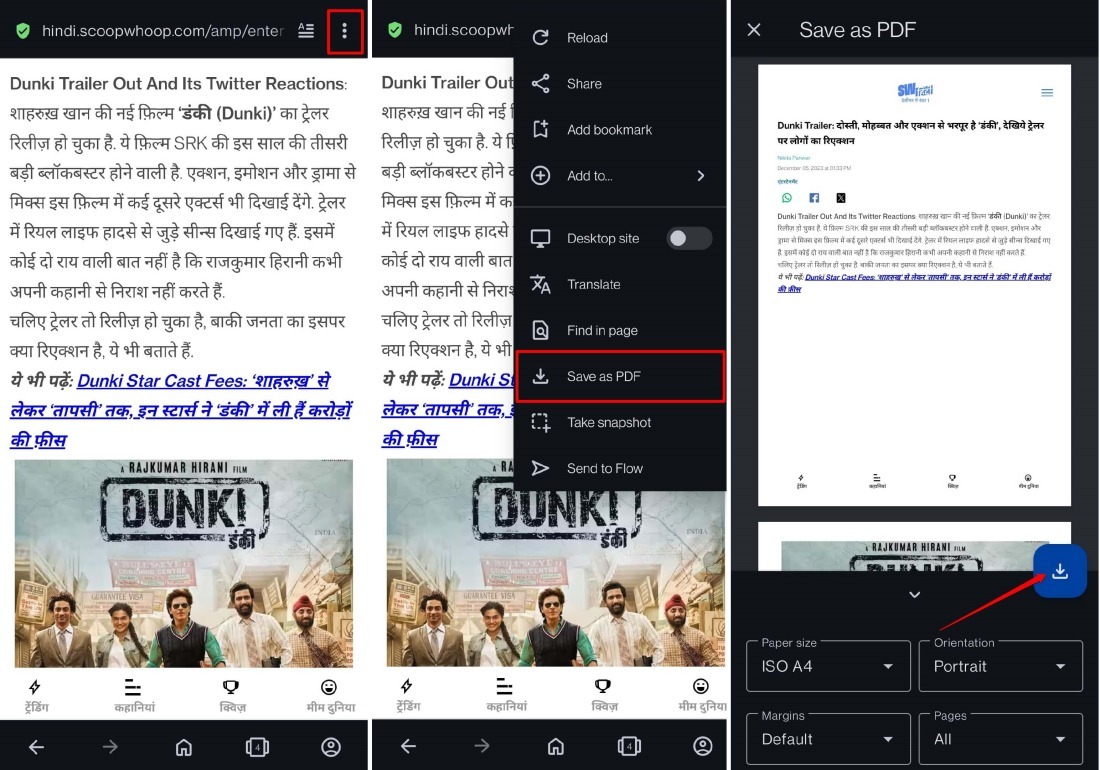

The page saves as a PDF, so you’ll need a PDF viewer like Adobe Acrobat Reader to open it.
Alternative Method to Save Pages for Offline Viewing
- Open Opera.
- Navigate to the webpage you want.
- Tap the menu at the bottom right.
- Select Snapshot.
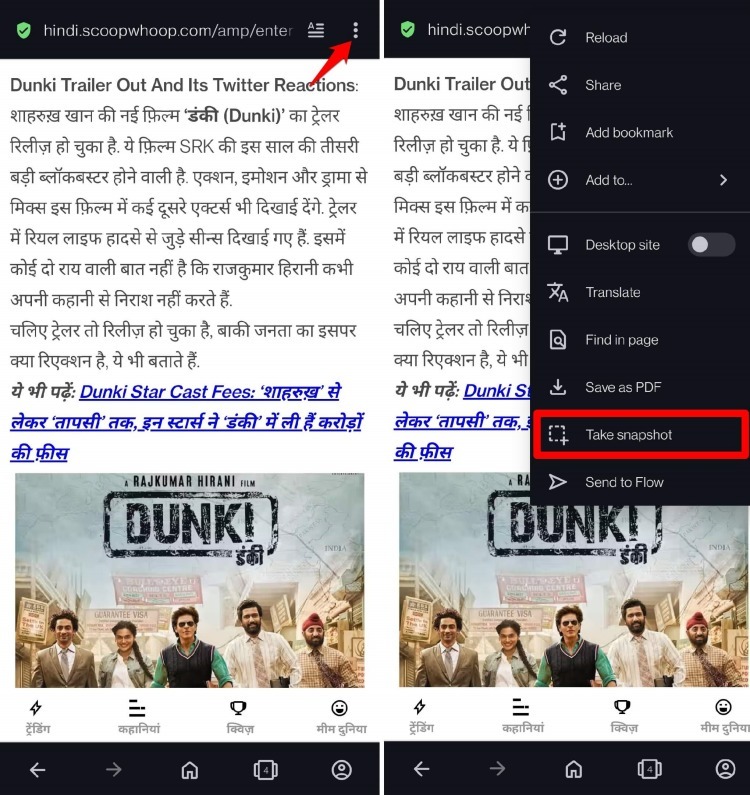
Opera captures a screenshot of the visible area. To capture more of the page, scroll down and repeat steps 3 and 4.

TIP: Snapshots save as images on your phone. Open them with any photo viewer app.
Bottom Line
You can now read saved pages anytime, even without a connection. When you open the PDF or image, you’ll see the content exactly as it was when you saved it.