A page in Opera on Android stalls, shows outdated content, or refuses to load. A standard reload won't fix it because the browser still serves cached files. You need a hard refresh: clearing site data forces Opera to pull everything fresh from the server.
When you tap the shield icon and clear storage, you're telling the browser to forget what it saved and start over. That's the difference between a quick reload and a true hard refresh.
In this guide, I have covered:
Contents
Hard Refresh a Web Page in Opera on Android
When a page sits blank or shows stale content, a regular reload won’t help. You need to clear Opera’s stored data for that site.
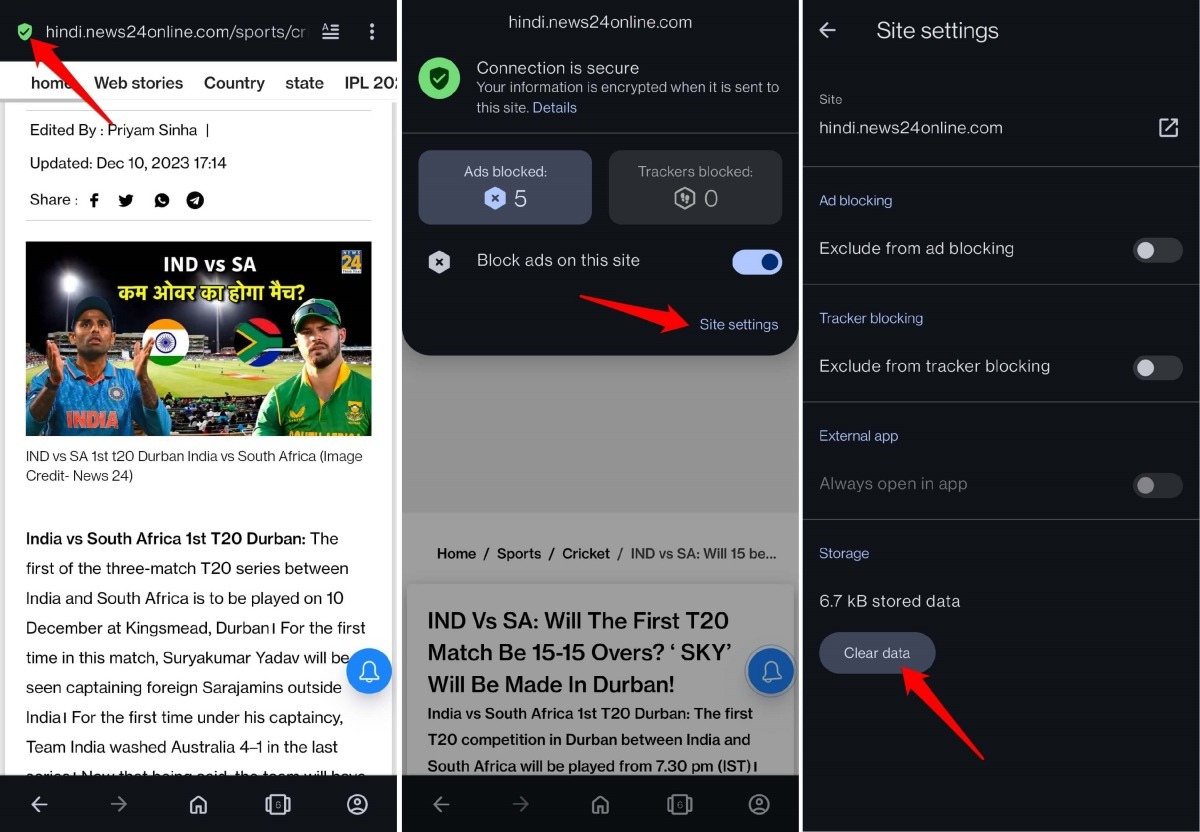
- Open the page that’s not loading in Opera.
- Tap the shield icon next to the address bar.
- Select Site Settings.
- Scroll to Storage and tap Clear Data.

TIP: To hard refresh a webpage on the Opera web interface on your PC, check out this guide.
How to Reload a Page on Opera Android?
If you just need a quick refresh without clearing cache, use the menu.
- Open Opera and go to any page.
- Tap the
 menu and choose Reload.
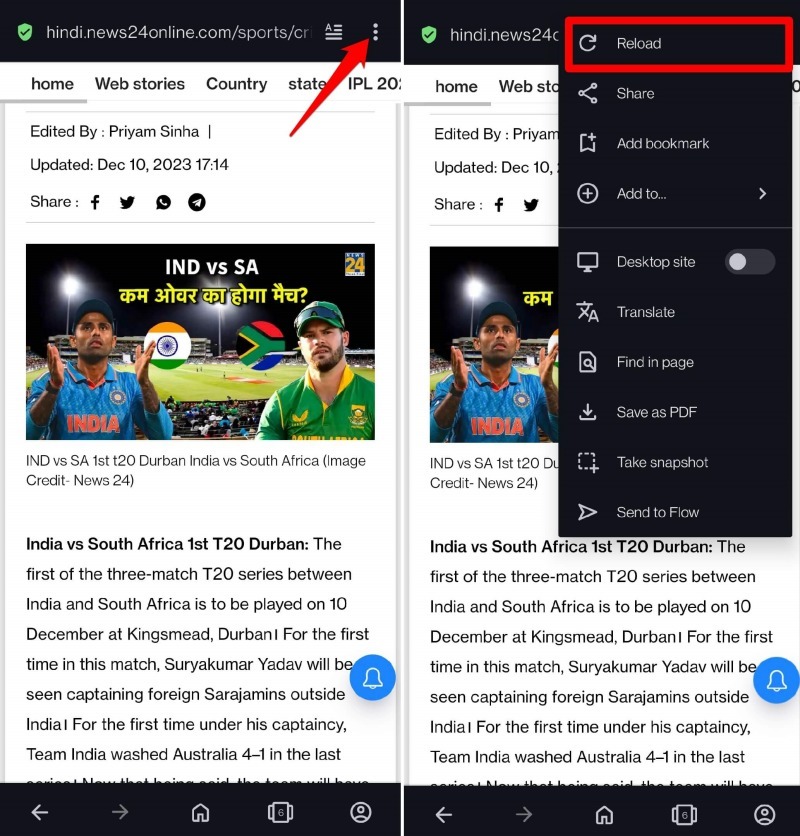

Reloading a webpage using the above steps won’t clear the data of the page stored in the cache.
Bottom Line
You’ll know the hard refresh worked when the page loads with current content. If a simple reload doesn’t fix the issue, head to Site Settings and clear data. That forces Opera to fetch everything fresh.